Bosch Parking Lot Management
This document serves to illustrate my activities and services for the Bosch Group working as UX/UI-Designer and software engineer. Confidential information, including technical details, customer data, and personal data, has been removed to the best of my knowledge and has not been disclosed. If names should be found, they are fictional and used as an example. Please understand that I am unable to share any project-specific details, even upon request.
Bosch Active Parking Lot Management (APLM) is a smart, end-to-end solution designed to optimize the operation and efficiency of parking facilities. Utilizing a combination of sensors, IoT technology, and software, APLM provides real-time information on the occupancy and usage of individual parking spaces. The core value proposition of APLM lies in its ability to significantly reduce the time drivers spend searching for parking by providing accurate, live guidance.
For operators, APLM offers operational advantages through detailed analytics on facility utilization, allowing for optimized pricing strategies, efficient maintenance planning, and improved revenue management. Ultimately, Bosch APLM enhances the overall parking experience for customers while simultaneously improving the profitability and efficiency of the parking lot for the operator. It represents a key component of modern Smart City and Connected Mobility concepts.
While car drivers are often stressed searching for a vacant parking space, parking lot managers need exact and reliable information about the parking spaces for improving profitability and the parking experience. Furthermore, technicians and caretakers need tools to locate and fix technical issues.
As a UI designer and software engineer, I want to create a user-friendly solution that addresses all the needs of these different users.
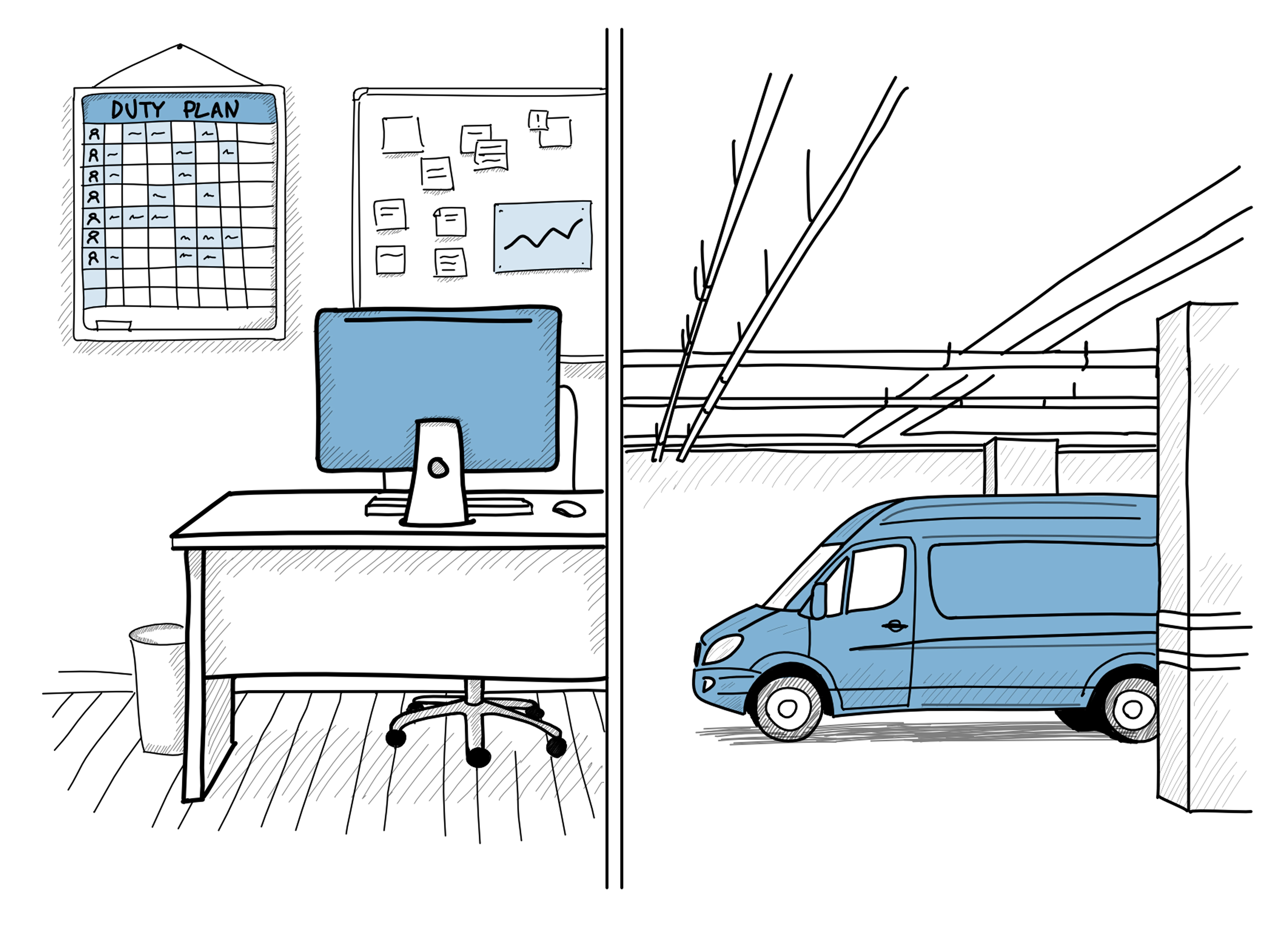
The goal is to design and develop an easy to use user interfaces to operate and manage parking lots equipped with Active Parking Lot Management from Bosch in order to make parking easier for car drivers.
In this project, I served as both a UI Designer and a Software Engineer. My responsibilities spanned the entire engineering lifecycle, including: gathering user requirements, ideating potential solutions, creating wireframes, mockups, and interactive prototypes, and finally collecting user feedback. As software engineer I also supported the implementation of the user interface using Angular and other web technologies.
By applying UX methods, I was not only able to create an intuitive user interface, but I also gained a deep understanding of user needs in the parking domain. This allowed me to create a small design system that enables scalability for future extensions and adaptations.
Together with my engineering team, the designed solution is implemented and continuously expanded with new functionalities in an iterative process.
I successfully achieved …
- Usability: I designed web application that really helps service technicians and operators by providing the information and functionalities needed for their daily tasks. Examples are error location, sensor replacement and making new parking lots ready form APLM. For managers I designed customizable dashboard and report views.
- User experience: I got very positive feedback for the user experience during user tests for creating views and aligning them to the way the users are working.
- Established a design process and product design system: I started from scratch in a company that had no design system or brand guide for desktop, web and mobile applications.
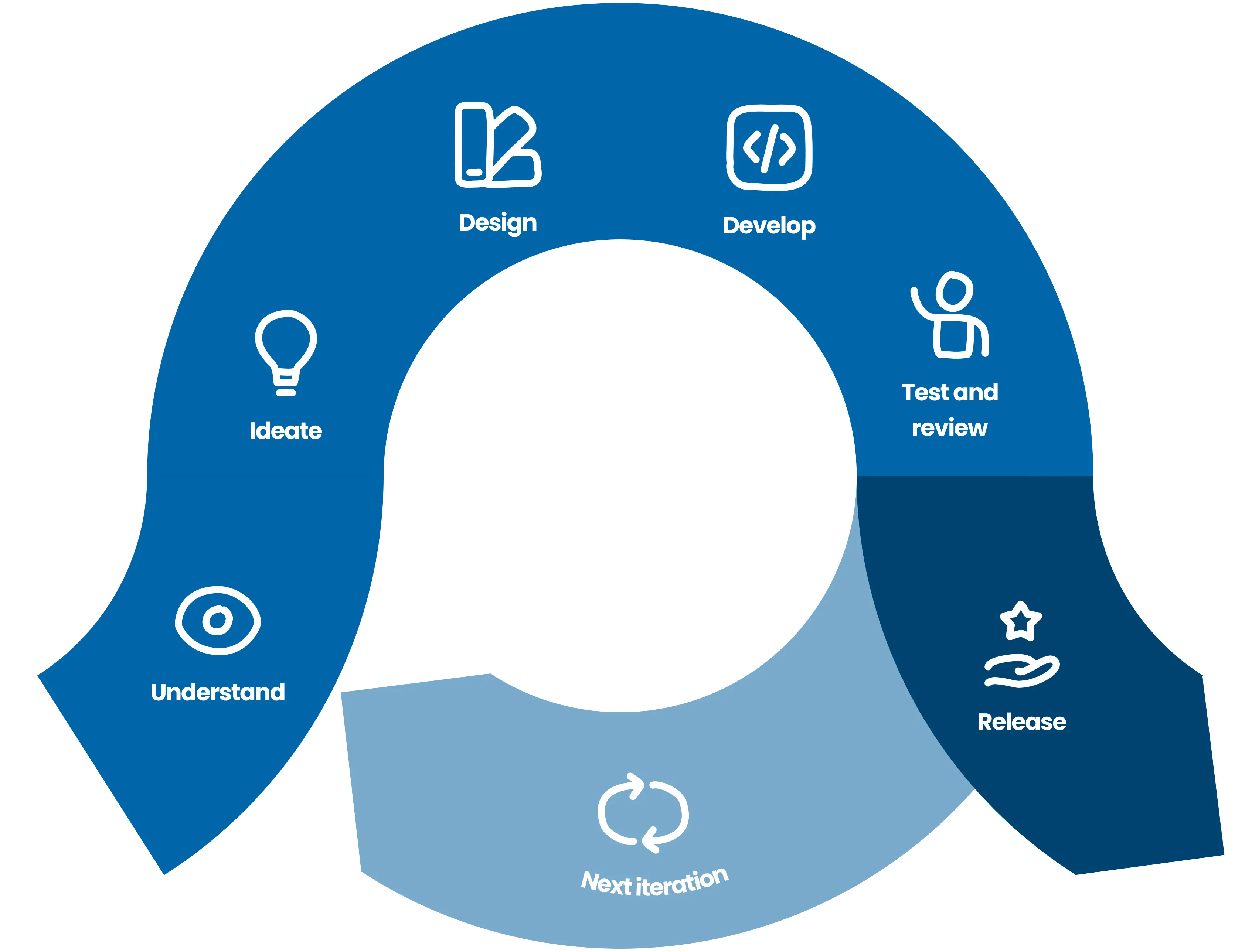
We followed a typical agile software development process using SCRUM that works in cycles. As the only team member with a UX and UI design background I integrated a design process and performed UX methods and design tasks as SCRUM tasks.
Through interviews and competitor analysis I identified and set focused on four core users and I created personas for them. The goal of my personas is to remind us who we are designing our product for. That's why I kept the personas simple and easy to remember.
My personas for APLM are:
- Parking lot manager (called Parking Paladin
- Parking lot caretaker (called Facility Hero)
- Service technician (called Tech Titan)
- Service Operator for remote support (called Cloud Champion)
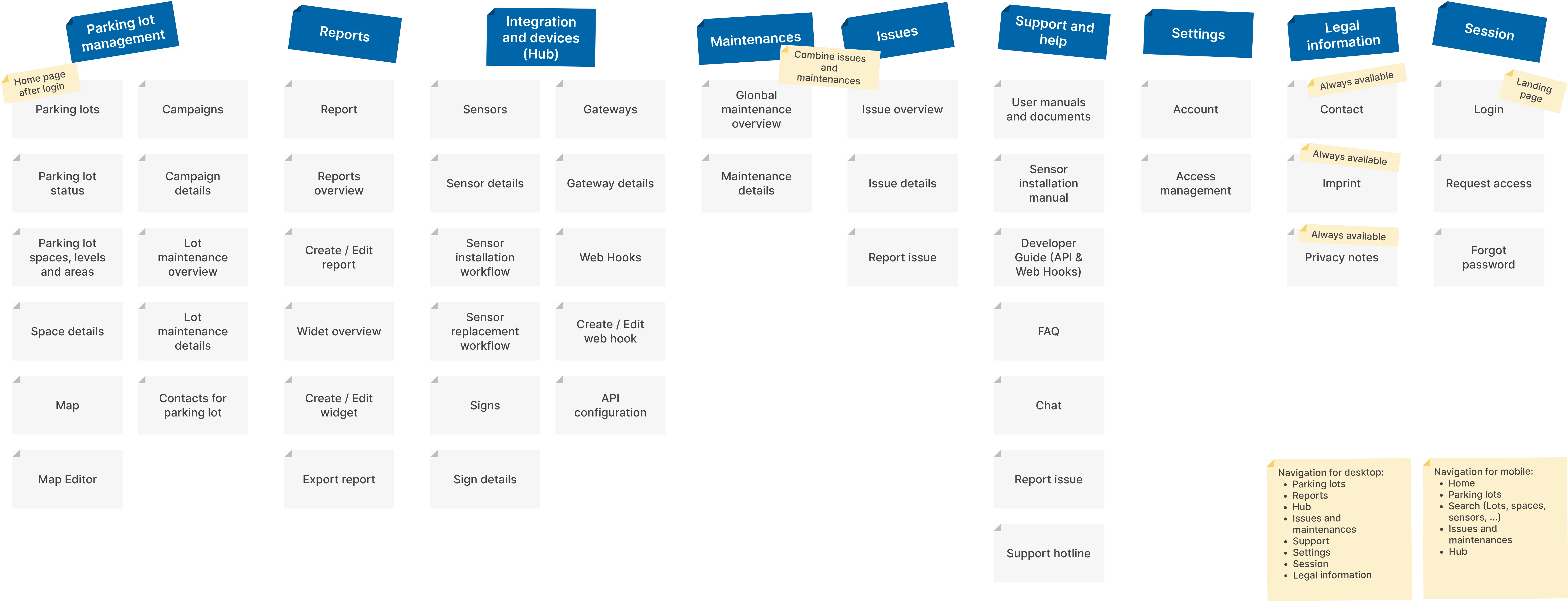
I created the information architecture to determine how complex the GUI would be and to be able to design the navigation. In addition I created for every page a sheet documenting the purpose, important information for users, navigation elements, functionalities and design decisions.
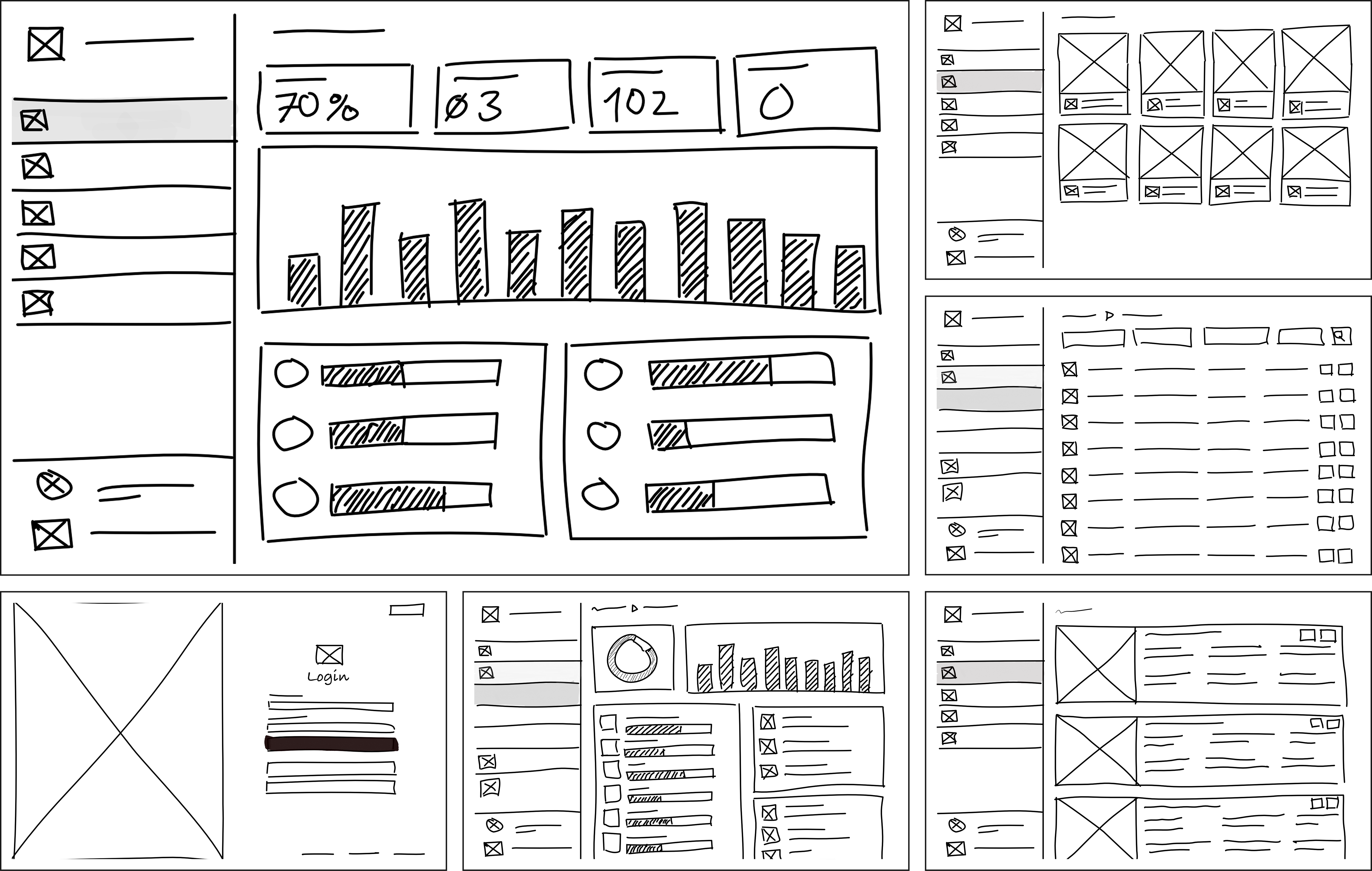
For each screen I created a sheet that describes purpose, important information, layout, navigation and interaction items and design decisions. When it comes to implementation I used theme to create wireframes and linked them to Jira stories and tasks.
To get a better understanding of user tasks I used user journey maps. User journey maps are very good to get a common understanding in the team and with stakeholders.
I consider wireframes to be a quick and cost-effective way to communicate design ideas. To support ideation, user testing, and development, I created numerous screen wireframes, visualizing views in different variants and states. Furthermore, I developed prototypes using these wireframes to map out all major user journeys and key features.
Beside wireframes my design concept also contains user flows. I used the user flow to communicate and documentate ideas and to describe the way a user takes to perform a task. Therefore I created flow charts and used wireframes to gather feedback in this early phase.
When I joined the Bosch Group in 2015, I found myself in a situation where there was no standardized corporate design, no brand guidelines and no company-wide UI library for software applications or apps. Each development team created and implemented its own style. That's why I designed all the components myself and organized them in a design system, adapting and expanding them again and again.
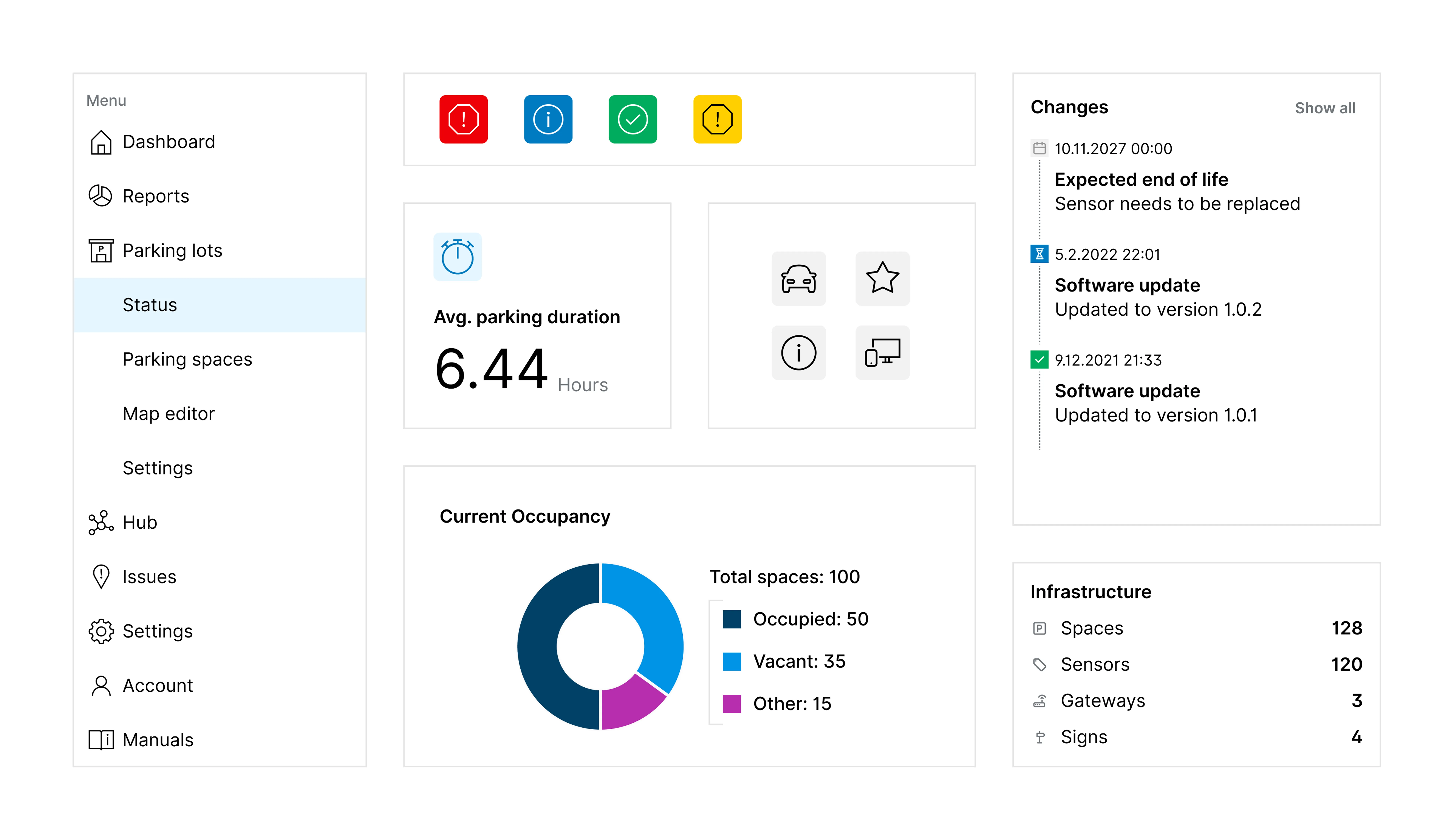
To retain the typical Bosch design I used the Bosch Sans font as described in the Bosch style guide for websites.
Bosch Sans is used in all font levels, from headlines to body text. The two typefaces Bosch Sans Regular and Bosch Sans Bold form the design basis for all kinds of texts, including software applications and user interfaces.
I chose colors that fit the current style guide for websites and extended them for additional variants used for states. Regarding colors, I selected a palette that aligns with the existing Bosch style guide for websites and then extended these colors to create additional variants required for different UI states (e.g., pressed, active, hover, error, success, warning).
In addition to designing UI components and interactions, I also created application icons, product logos, illustrations, and other visual artifacts as needed and in cases where elements were missing. In doing so, I always followed the current company brand guidelines and requirements.
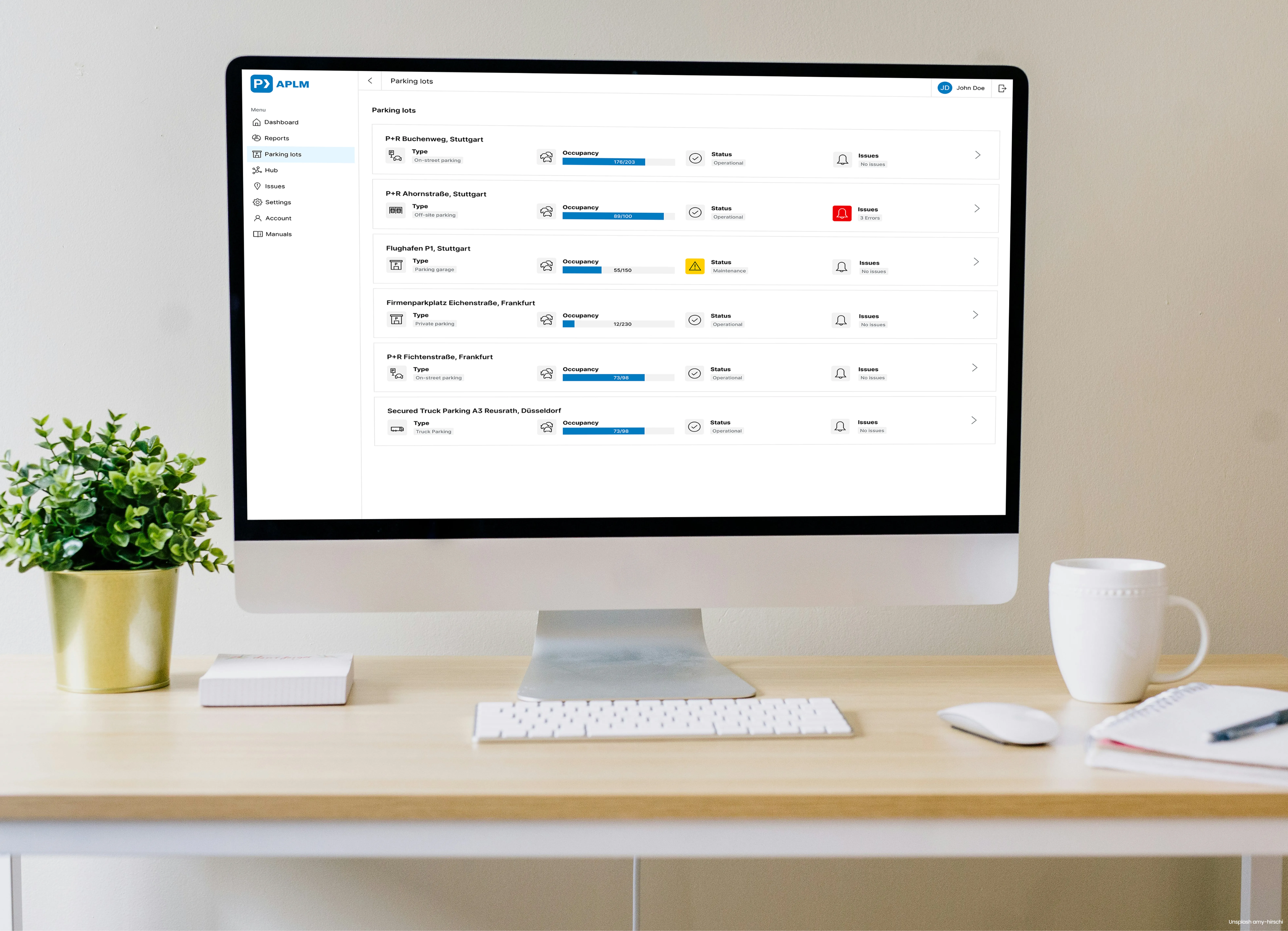
Looking at the outcomes of the performed interviews with parking lot managers, parking lot owners, colleagues working in operation department and technicians we were sure that we need a software application for desktop and laptop computers that covers all of the use cases. Therefore an operating system-independent web application with a simple flat design style was designed by me and developed in our team.
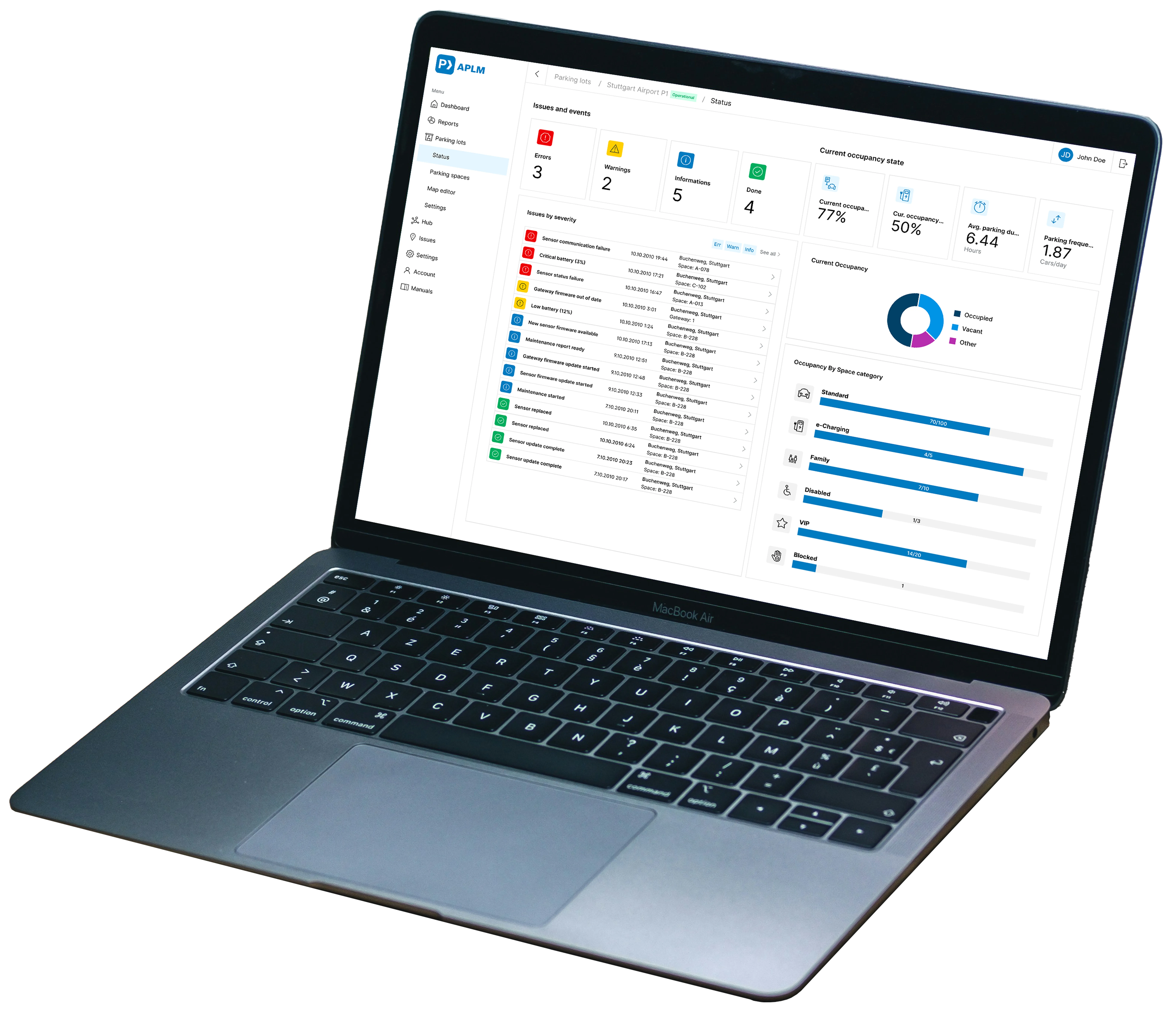
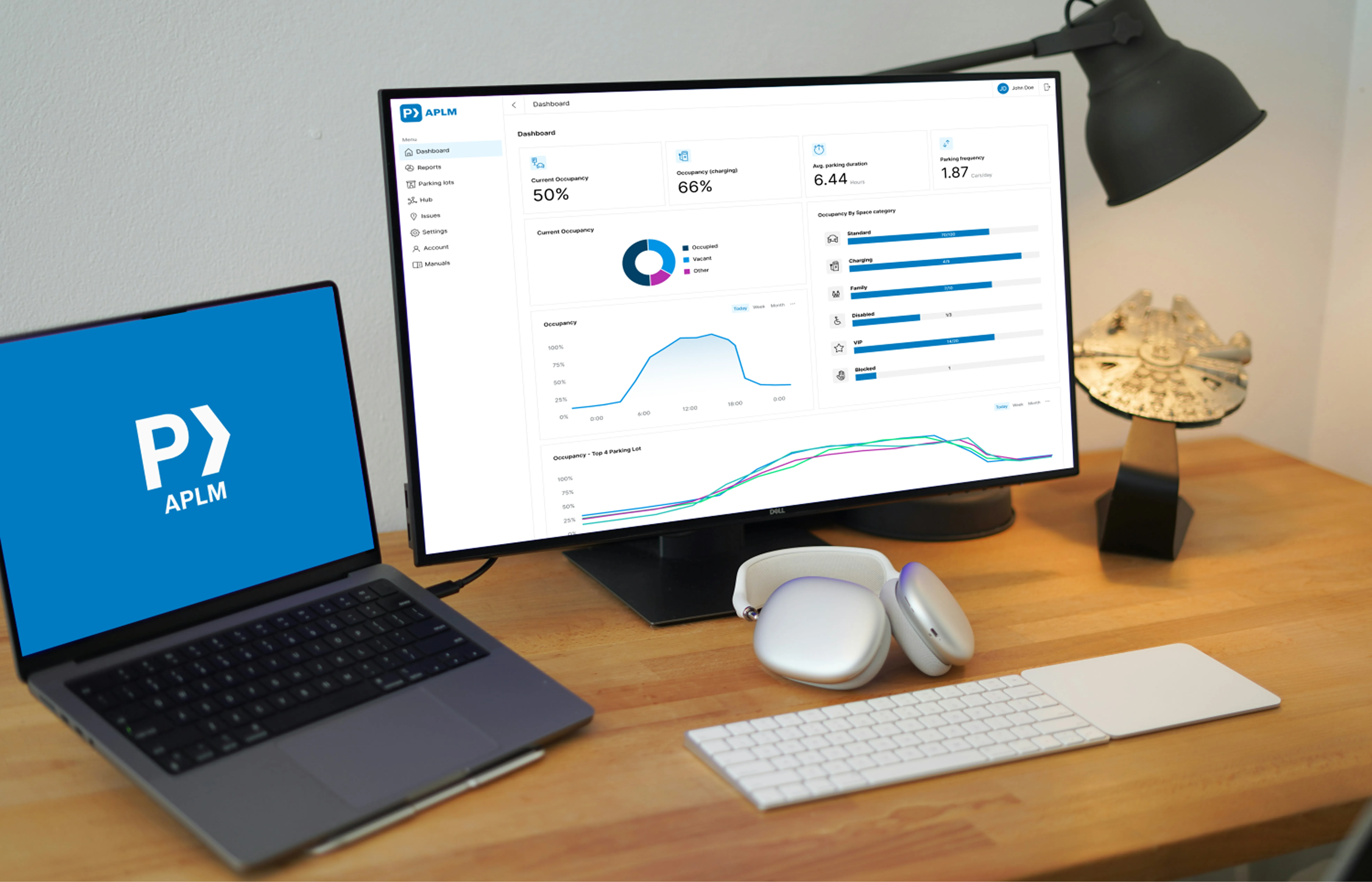
For management tasks the application includes several dashboards and reporting views. These views are customizable and allow the creation of user defined dashboards and reports.
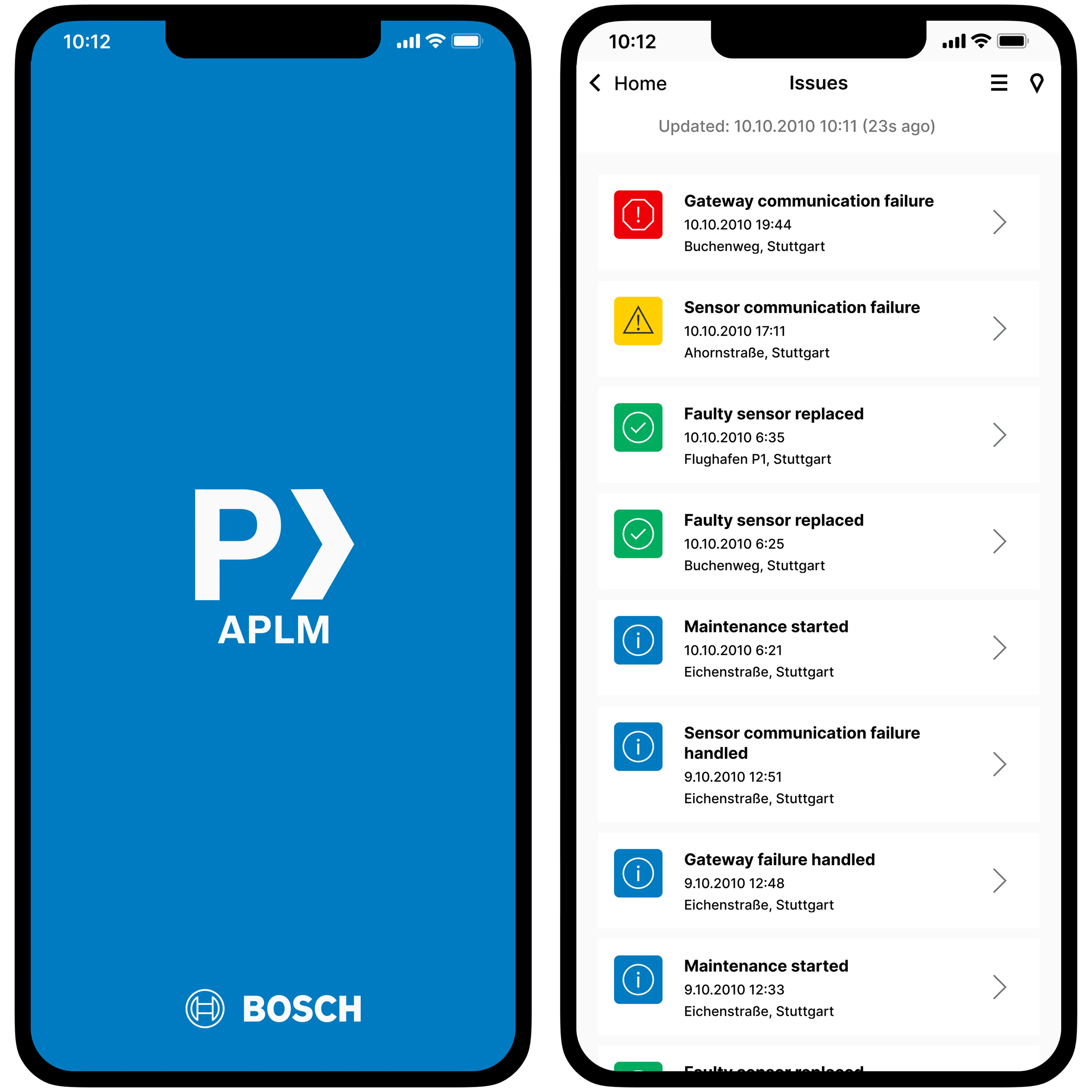
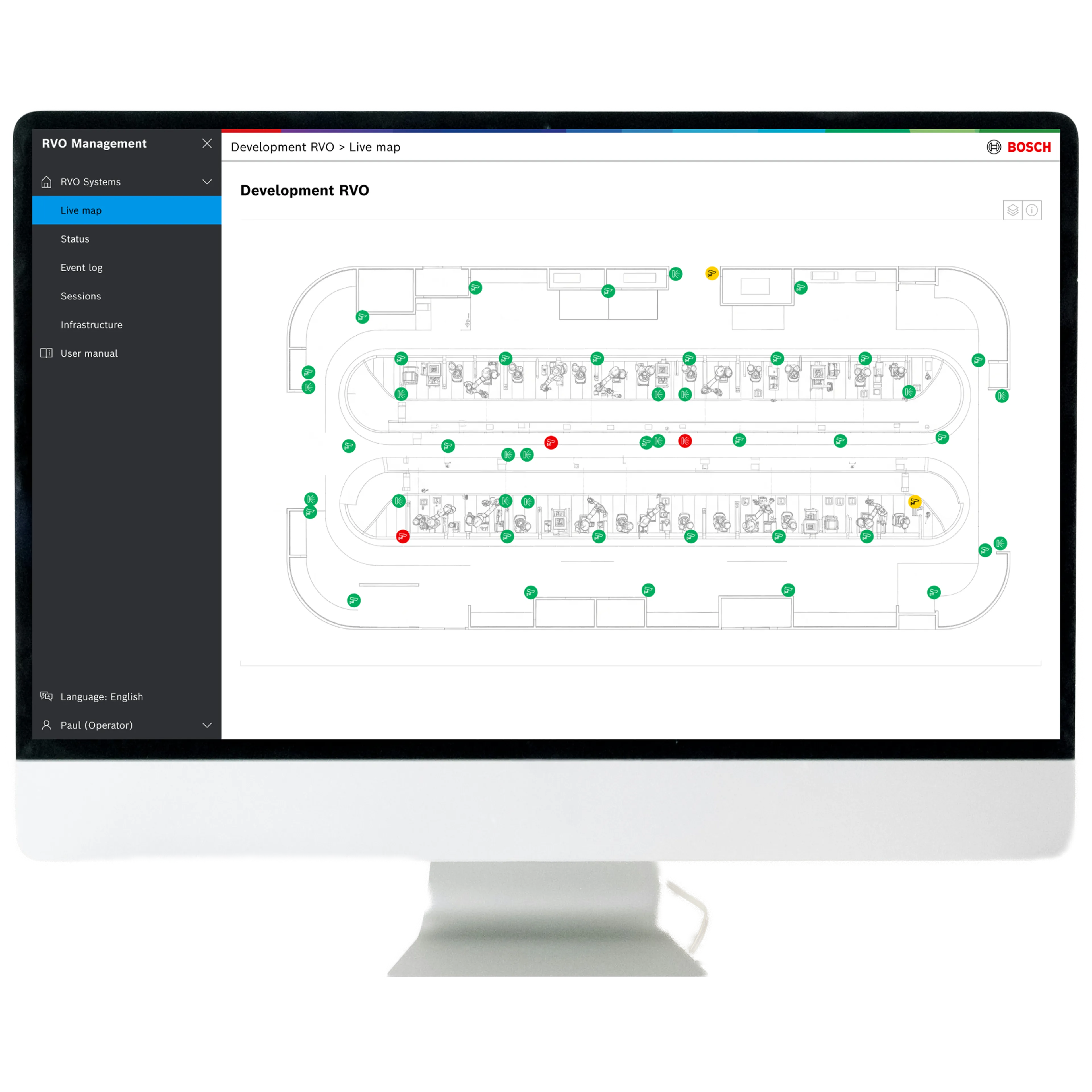
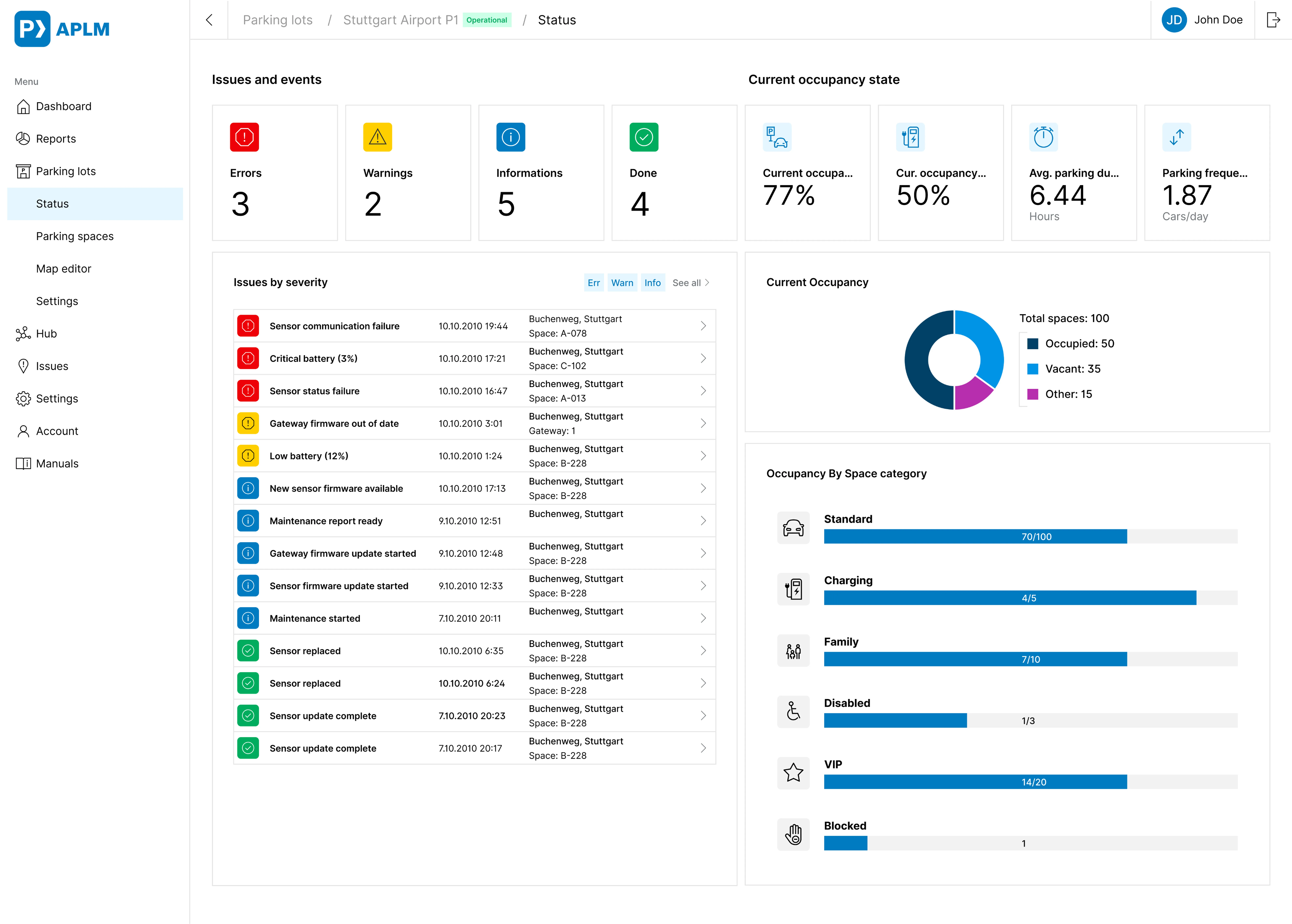
For operators and technicians there are views that provide the status of the system and its component, list events like warnings and errors or display detail of hardware components like sensors or traffic guidance signs. Furthermore there are views that guide the user through installation of hardware like sensors or traffic guidance signs or setting up a connection to integrate APLM into other systems.
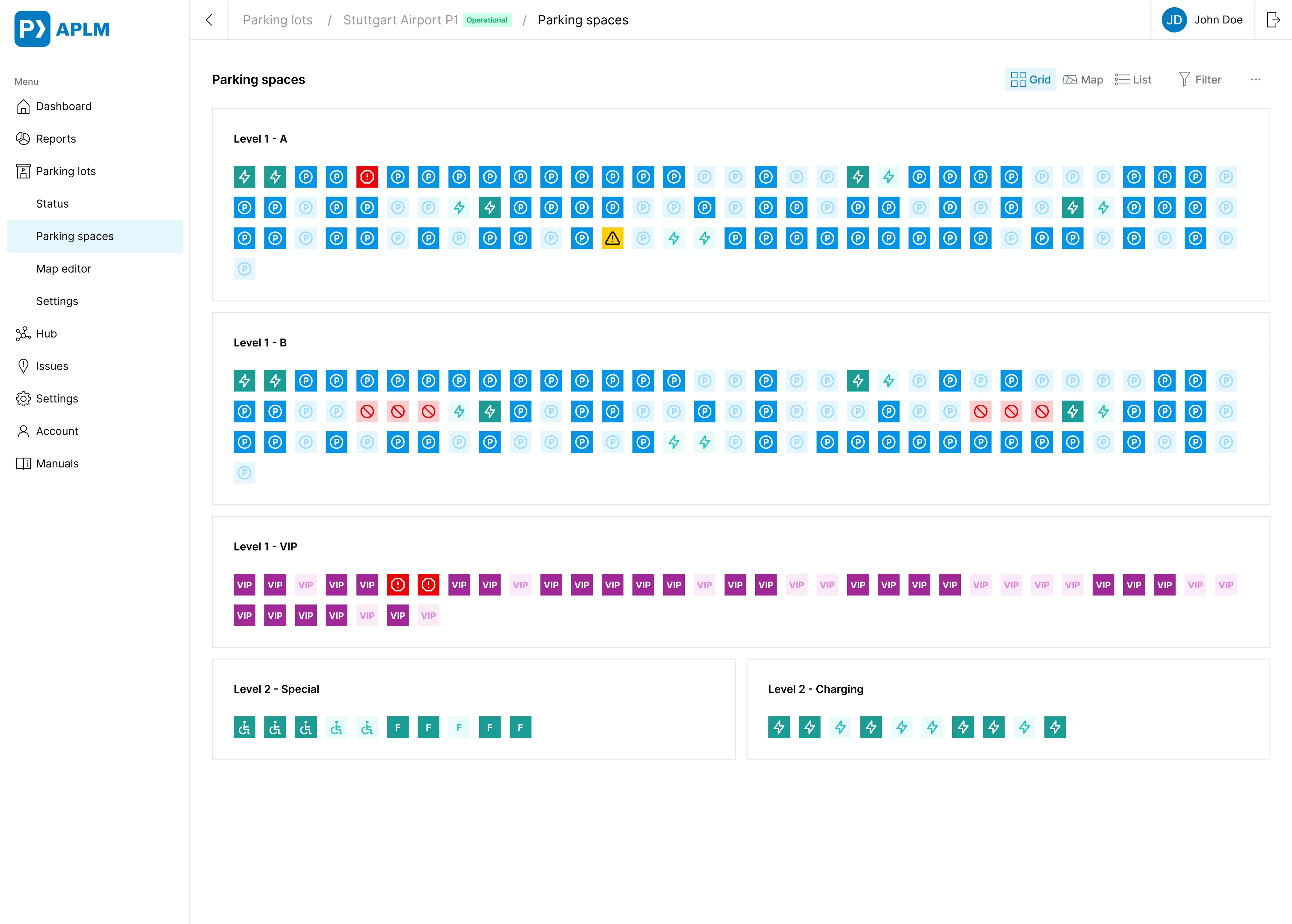
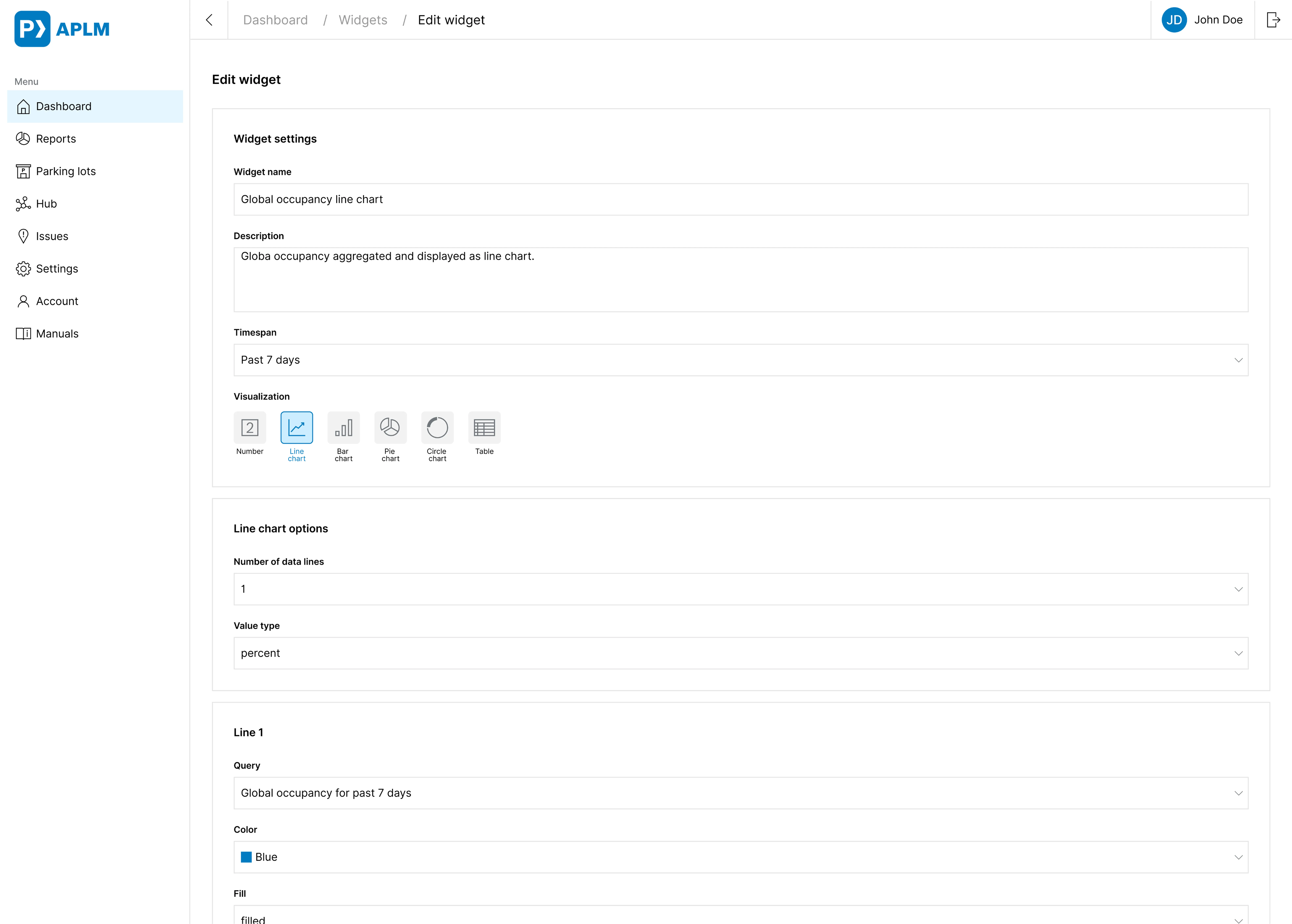
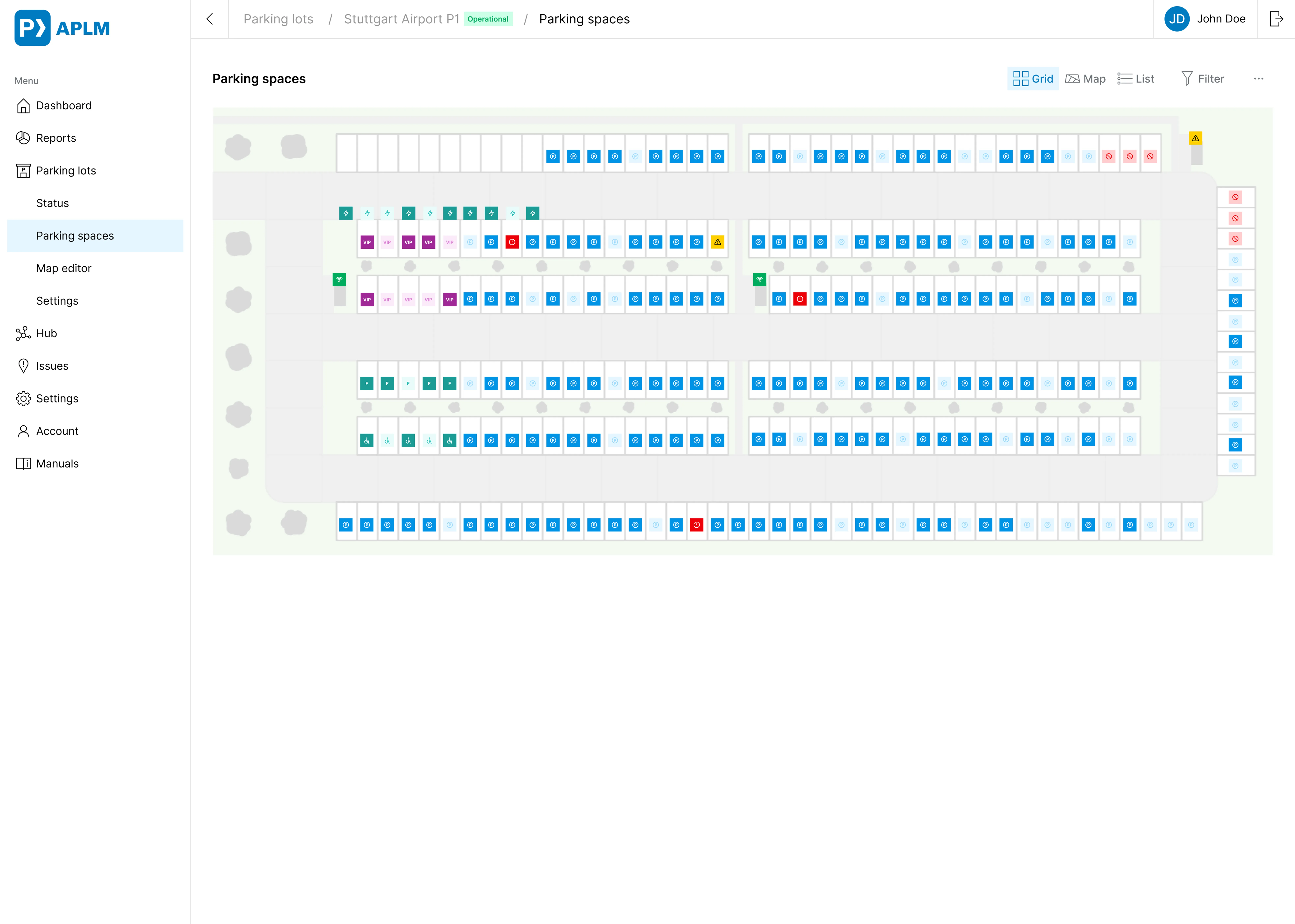
- Parking: Parking lot management can sound boring, but there are so many different use cases, stakeholders and possible functionalities.
- Agile working: Working agile is not the fastest way to deliver value. But it has the possibility to change and adapt way of working and product strategy.
- Roles: Working as UX-designer, UI designer and Software Engineer allows deep understanding. But it limits the time for each topic, creativity and possibilities.
- Incomplete team: Without team members responsible for user research, UX design and UI design a team has not all capabilities to create good products and services.