Bosch Automated Vehicle Maneuvering
This document serves to illustrate my activities and services for the Bosch Group working as UX/UI-Designer and software engineer. Confidential information, including technical details, customer data, and personal data, has been removed to the best of my knowledge and has not been disclosed. If names should be found, they are fictional and used as an example. Please understand that I am unable to share any project-specific details, even upon request.
Bosch Automated Vehicle Maneuvering (AVM) was created to drive vehicles from one place to another without a driver and is my second big project for Bosch as UX/UI designer. Let me show my role and tasks during this project.
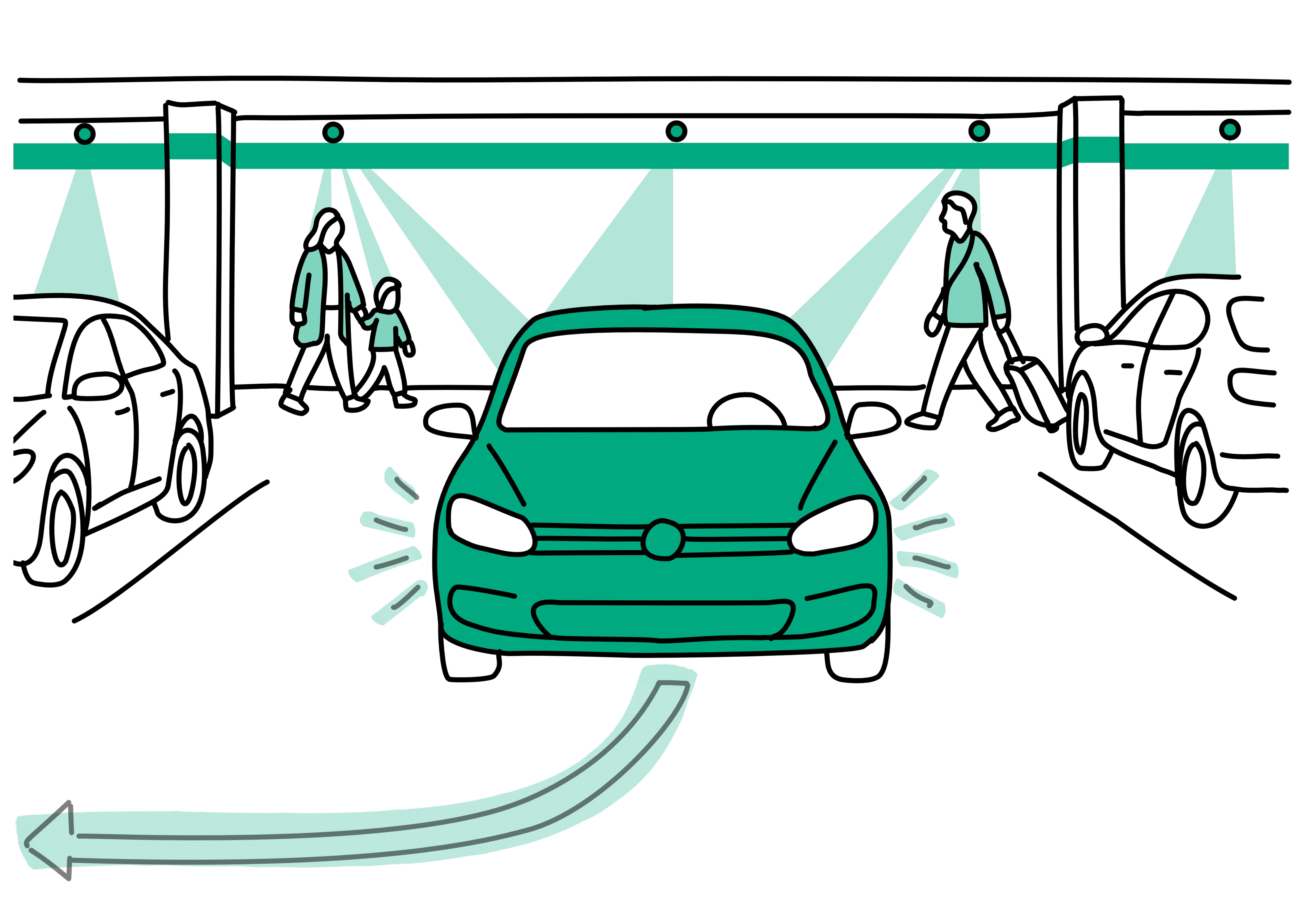
Imagine you are on your way to the airport for a business trip. You don't have time for public transportation and there are no taxis available. So you take your car. You arrive at the airport and park your car in a special zone near the terminal entrance. After taking your luggage out of the car, you confirm this and start the parking process. While you make your way to the departure gate, your car drives itself to a vacant parking space where it waits for your return.
Fantastic, isn't it? This is Bosch Automated Valet Parking. One of the use cases of Bosch Automated Vehicle Maneuvering.
Basic variant that drives vehicles from one location to another without a driver. Suitable when a simple and straightforward solution is needed that can be adapted to new use cases.
Optimized for vehicle logistics and manufacturing, it offers seamless integration with other systems and supports on‑premise operation.
AVM and its variants require a complex hardware and software setup. To provide a high availability and reliability the hardware and software needs to be operated and maintained. The mission for me as UX/UI designer is to design an application that makes it easy to install, operate, maintain and adapt AVM systems.
The goal is to design and develop an easy to use user interfaces for operating and managing Bosch Automated Vehicle Maneuvering Systems (AVM, AVM-P, and AVP), empowering users to maximize operational uptime, ensure customer experience, quality and business profitability.
In this project, I am responsible for all UX and UI topics related to user interfaces. This includes gathering user requirements, ideating potential solutions. Furthermore, I create wireframes, mockups and interactive prototypes to collect feedback through interviews and usability tests. Equally important is the accessible and easy‑to‑understand documentation on design topics, including a dedicated product design system, which I create and update regularly.
Personally, I really enjoy working on this technically complex project, as it gives me the opportunity to create a user-friendly solution while fully expressing my passion for designing graphical user interfaces and design systems.
By applying UX methods, I was able to design a user interface solution that meets the needs and expectations of operators, technicians and managers, while remaining scalable for future feature integration. Taking the Bosch Digital Design System into account, I established the foundation for a product design system that I developed for multiple applications in context of Bosch’s infrastructure‑based autonomous driving systems.
Together with my engineering team, the designed solution is implemented and continuously expanded with new functionalities in an iterative process.
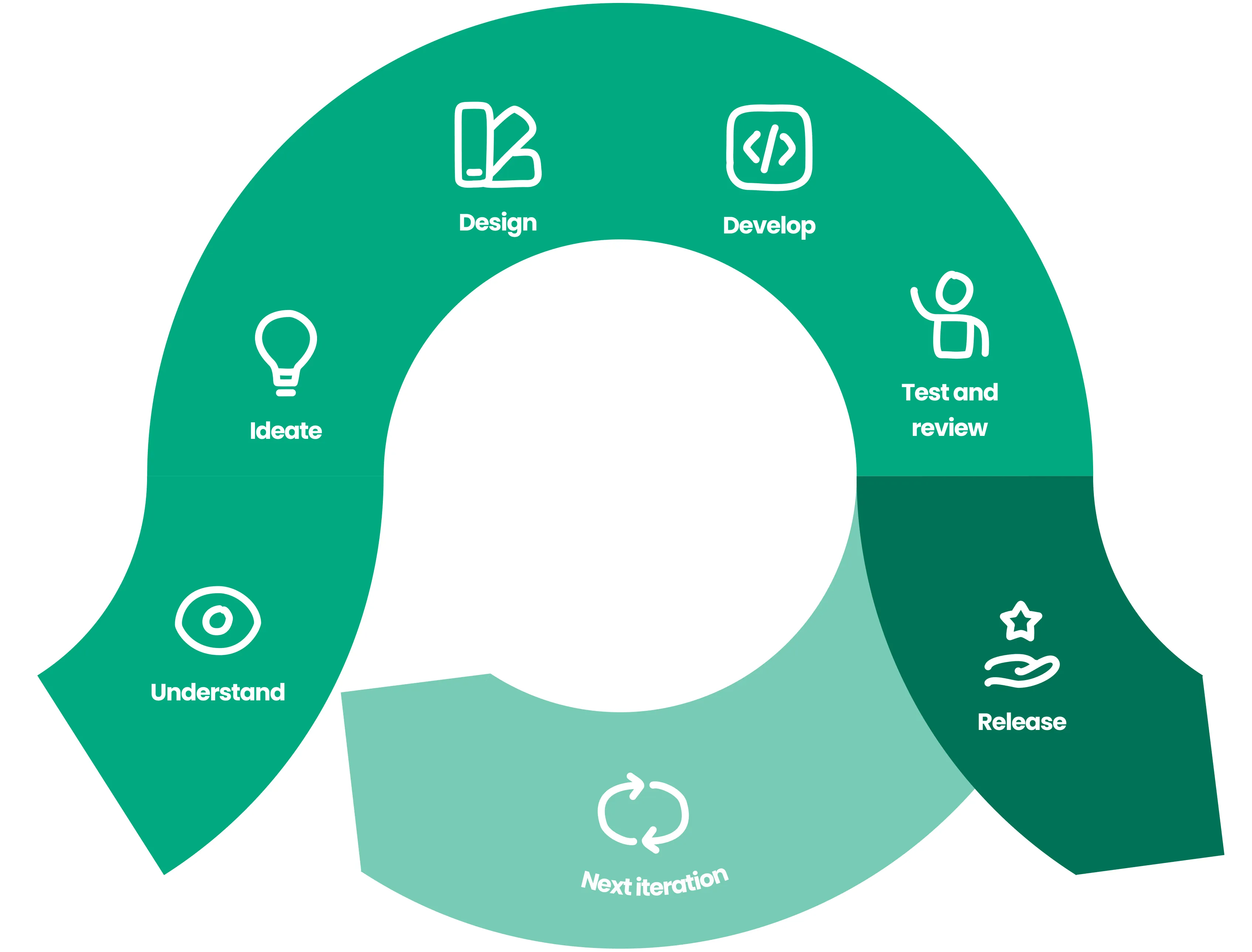
Similar to my first project at Bosch, Active Parking Lot Management (APLM), our team followed a typical agile software development process. In this project, we used Kanban and OKRs and worked in iterative cycles to achieve our defined goals.
As I was the only team member with a UX and design background, I integrated a design process and performed UX methods and design tasks as Jira tasks. Additionally, I applied best practices from the field of UX and UI design.
I successfully achieved …
- Digitalized workflows: Successfully digitalized workflows that are required to operate and manage the system.
- Simplified operation: All functionalities are designed to be intuitive and easy-to-use. The applications guide the user through their tasks.
- Provide system insights: Important and useful information are made available without the need of additional systems and tools.
- Design System: I established a design system to support creation of consistent user interfaces for Bosch AVM related software applications. Examples are AVM and AVP operation and maintenance web application, AVM development and simulation kit and internal engineering tools.
Based on the results of a card sorting session, I created the information architecture to determine how complex the GUI would be and to be able to design the navigation and the structure of the application.
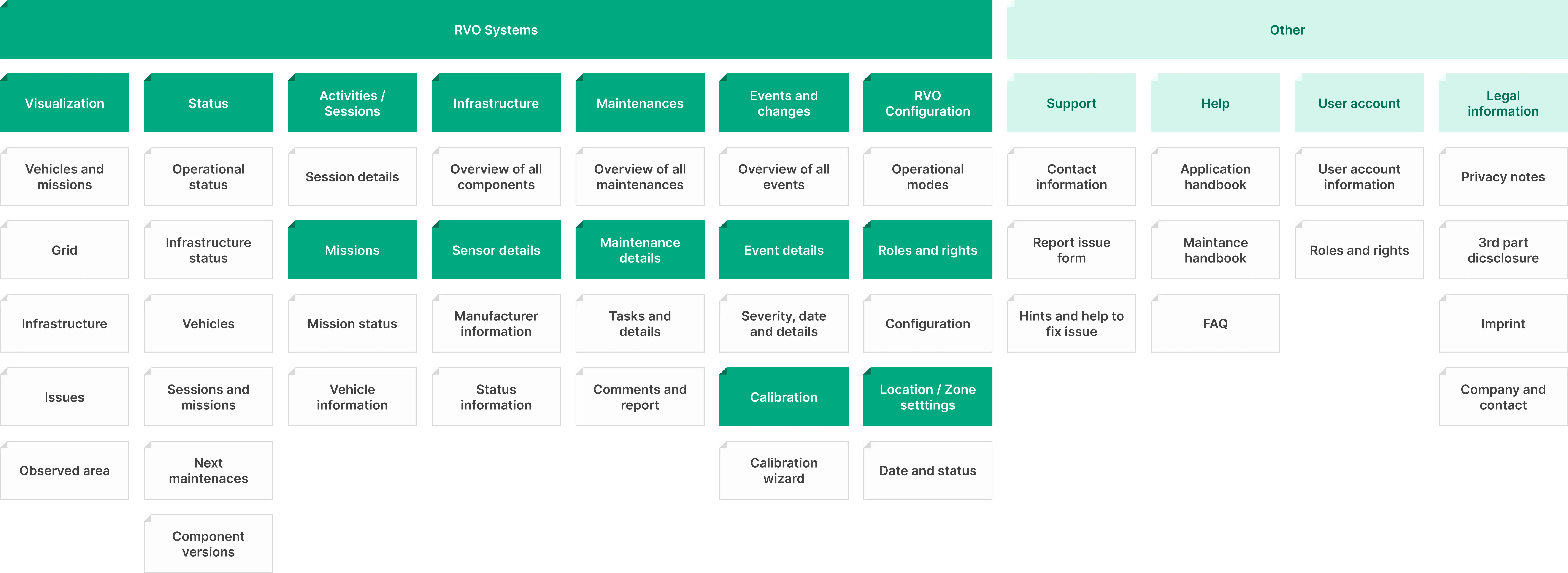
For each screen I created a sheet that describes purpose, important information, layout, navigation and interaction items and design decisions. When it comes to implementation I used theme to create wireframes and linked them to Jira stories and tasks.
I identified and set focus on three core users that cover the most important use cases for the application we need to develop. The personas for an operator and a service technician were supplemented by a manager persona which depends on the use case (e.g. parking or manufacturing).
I didn’t create personas for myself. I wanted them to be memorable and reusable, so I always create personas that contain only the information that is relevant.
In a workshop we defined a customer journey map. The customer journey was adapted multiple times and helped us in communication with project managers and system engineers. By using a customer journey we could get a common understanding and define opportunities for improving the user experience.
After I interviewed several users I created user journey maps to align my understanding with the team. This helped us to plan, design and implement the digital workflows. And the user journeys are also useful for verification and testing.
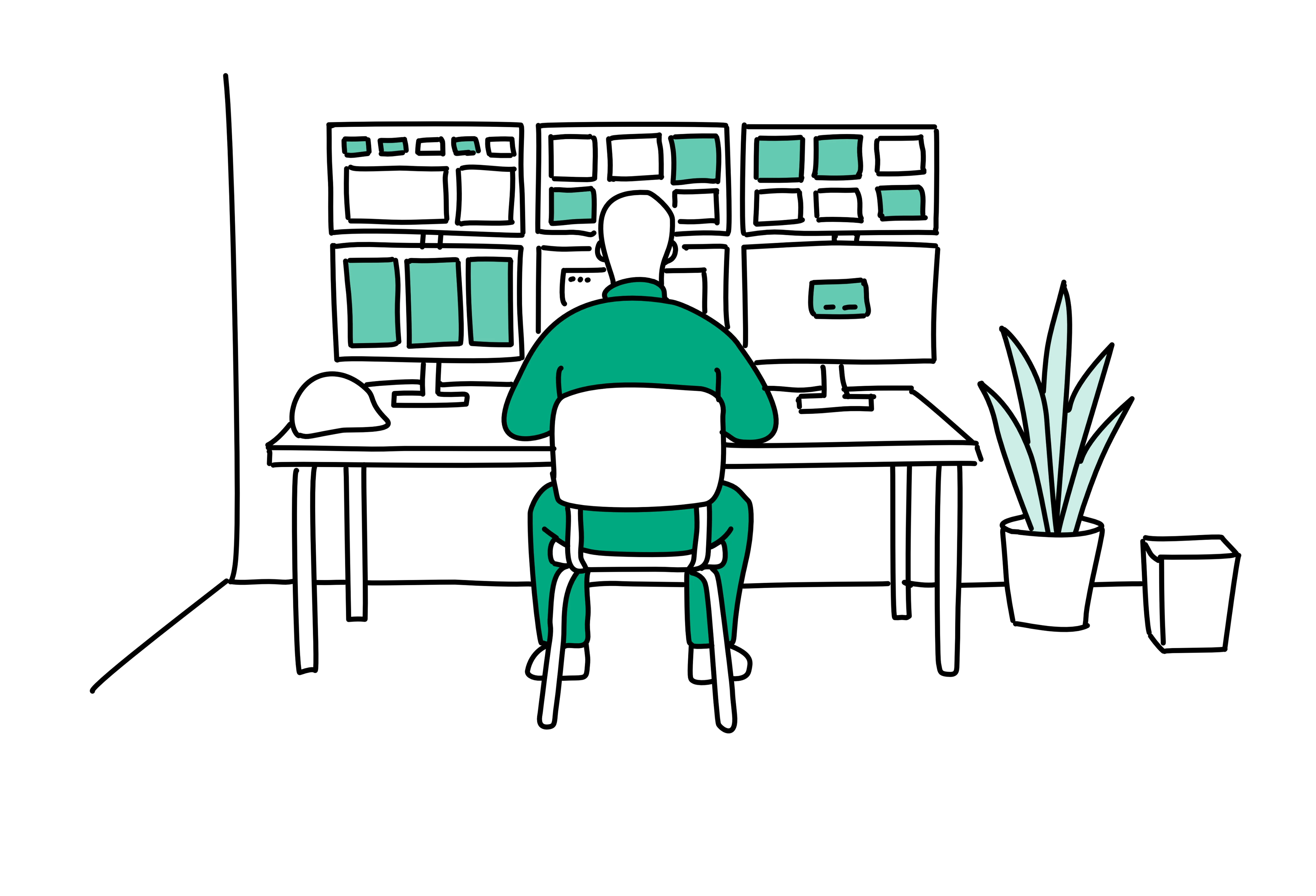
The first user journey I created is based on a vehicle failure scenario for the system operator. It is used to communicate and verify the value of our application for operation.
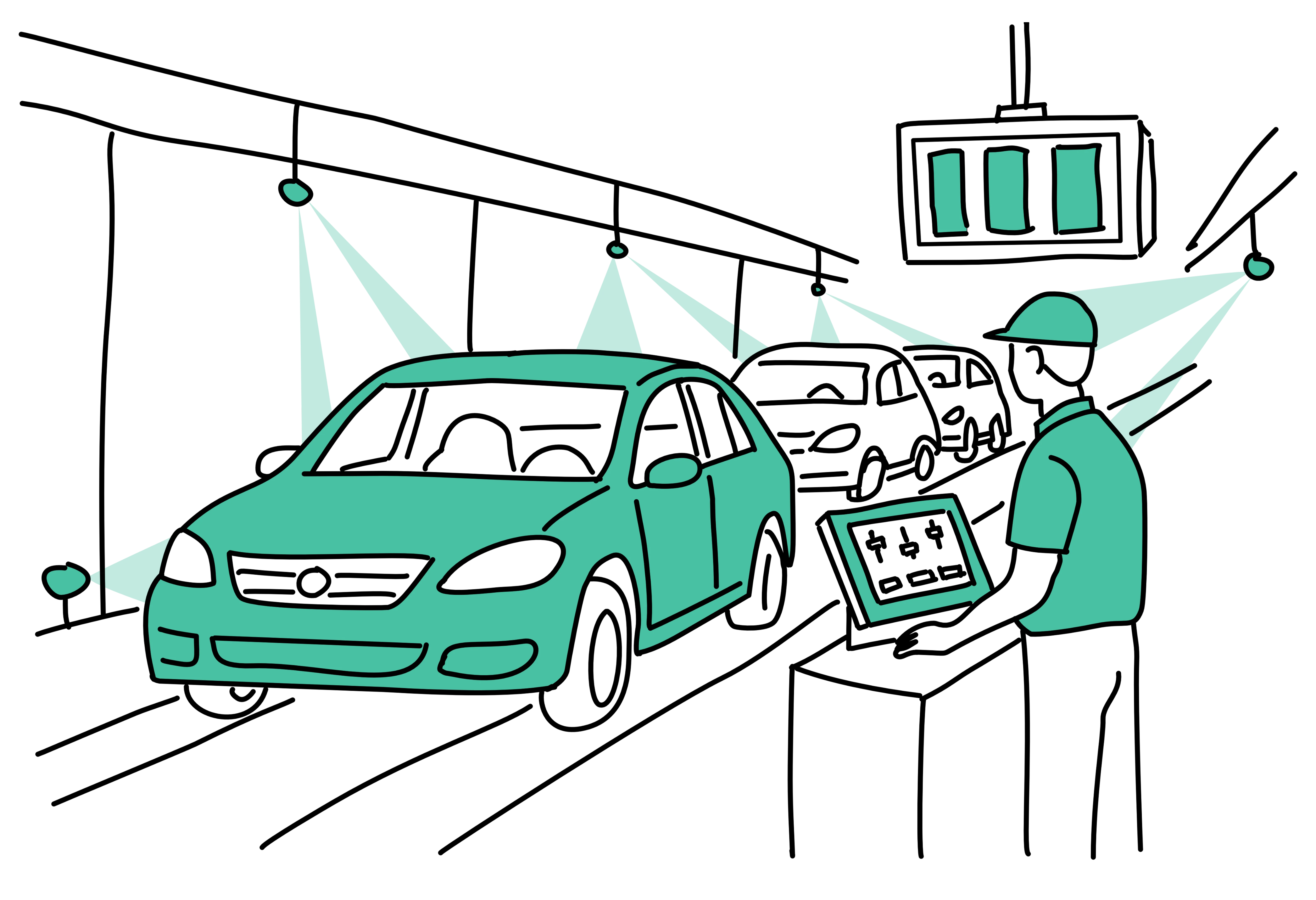
A second user journey I created is used to communicate and verify the value of our application for field engineers and technicians. This journey is based on a sensor failure scenario.
For ideation, user testing and to support development I created many screen wireframes visualizing views in different variants and states. For important user journeys and key features I used the wireframes as simple prototypes. This saved us time and provided useful information for development at an early stage. This allowed me, for example, to make important system status information more visible and contextual information easier to access.
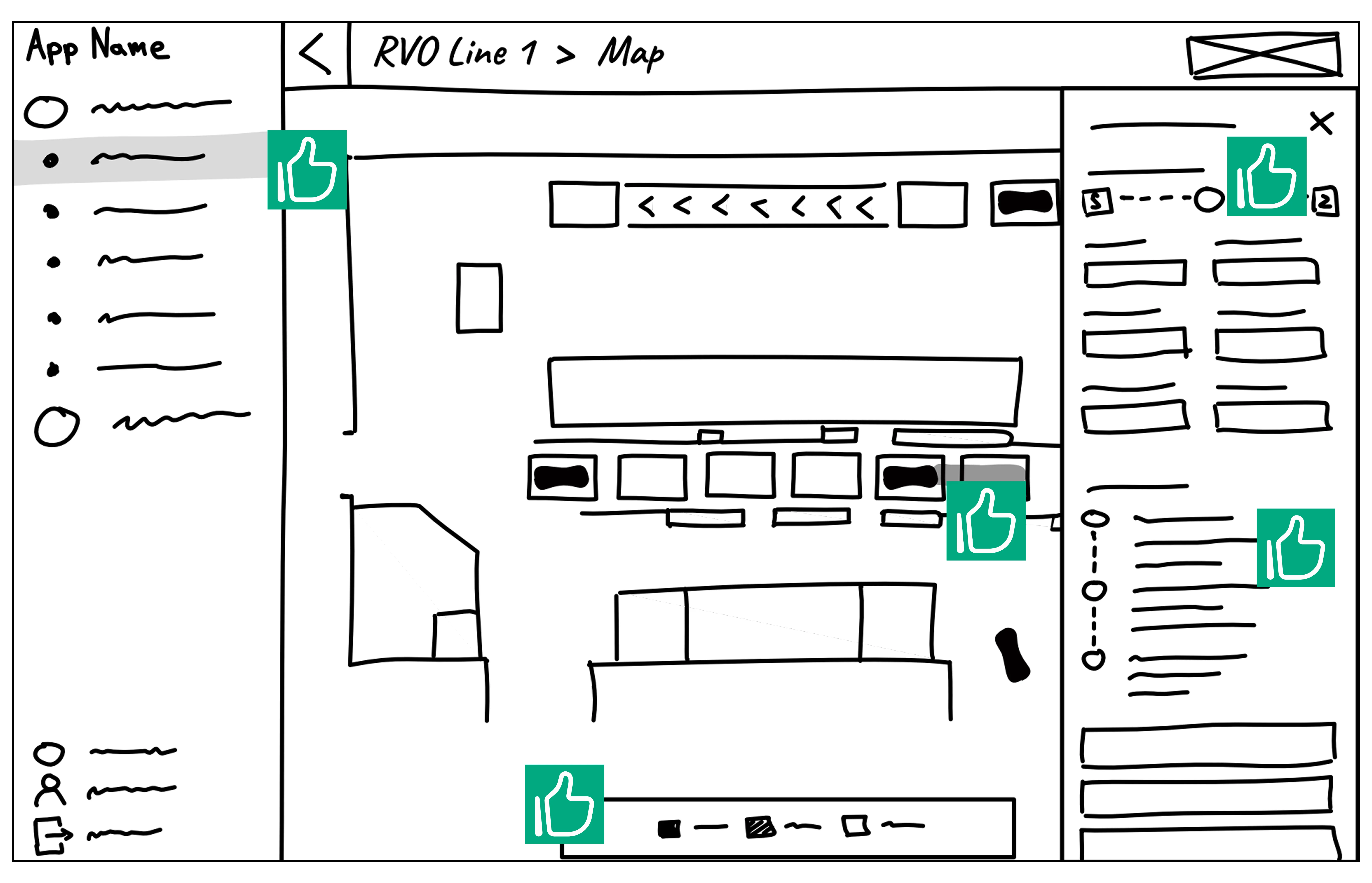
I often developed several ideas for a particular screen and gathered feedback on them. The features that received positive feedback were later used in the high-fidelity mockups.
Annotations in Figma and paper wireframes helped me to organize feedback and plan improvements.
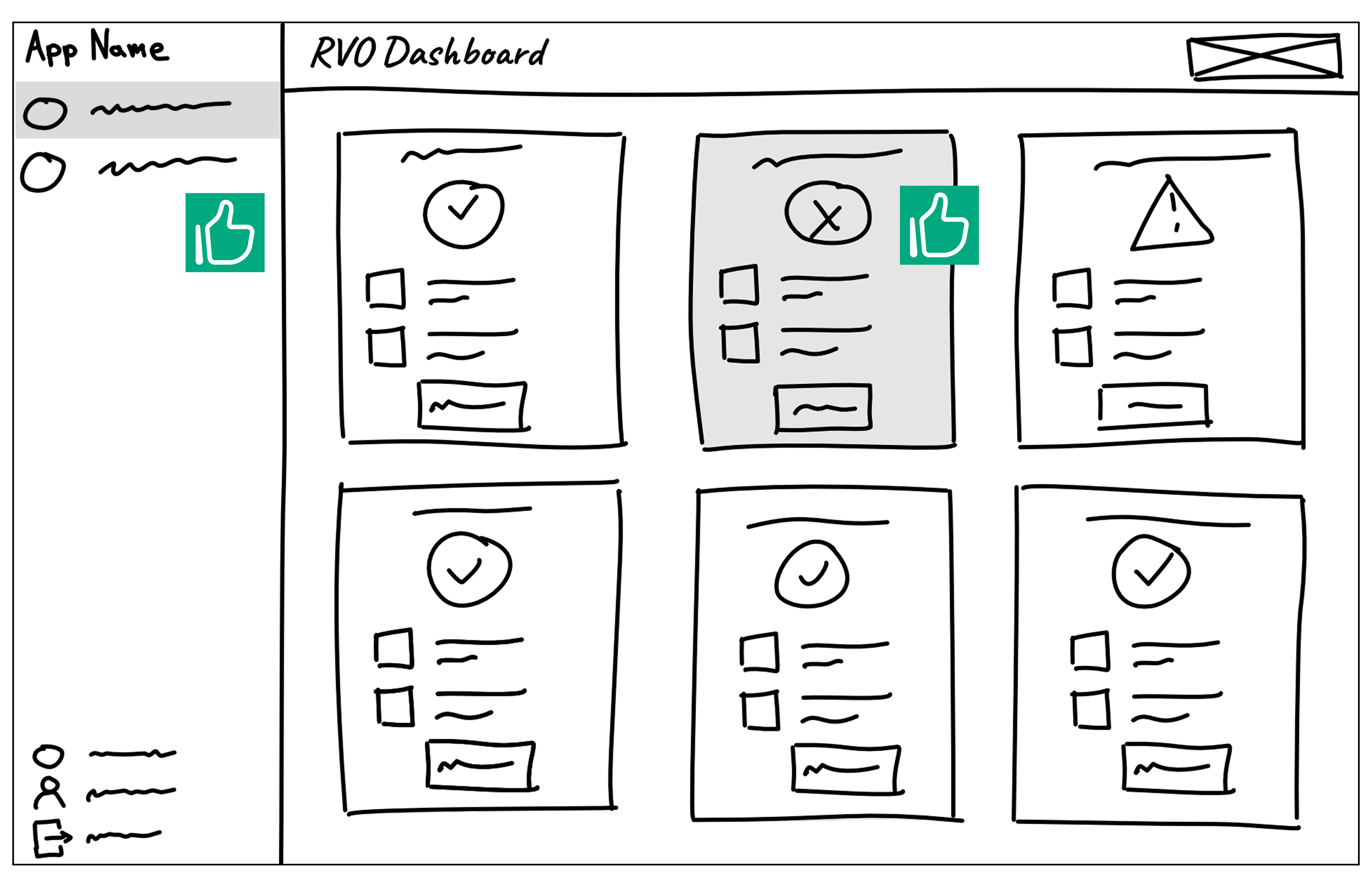
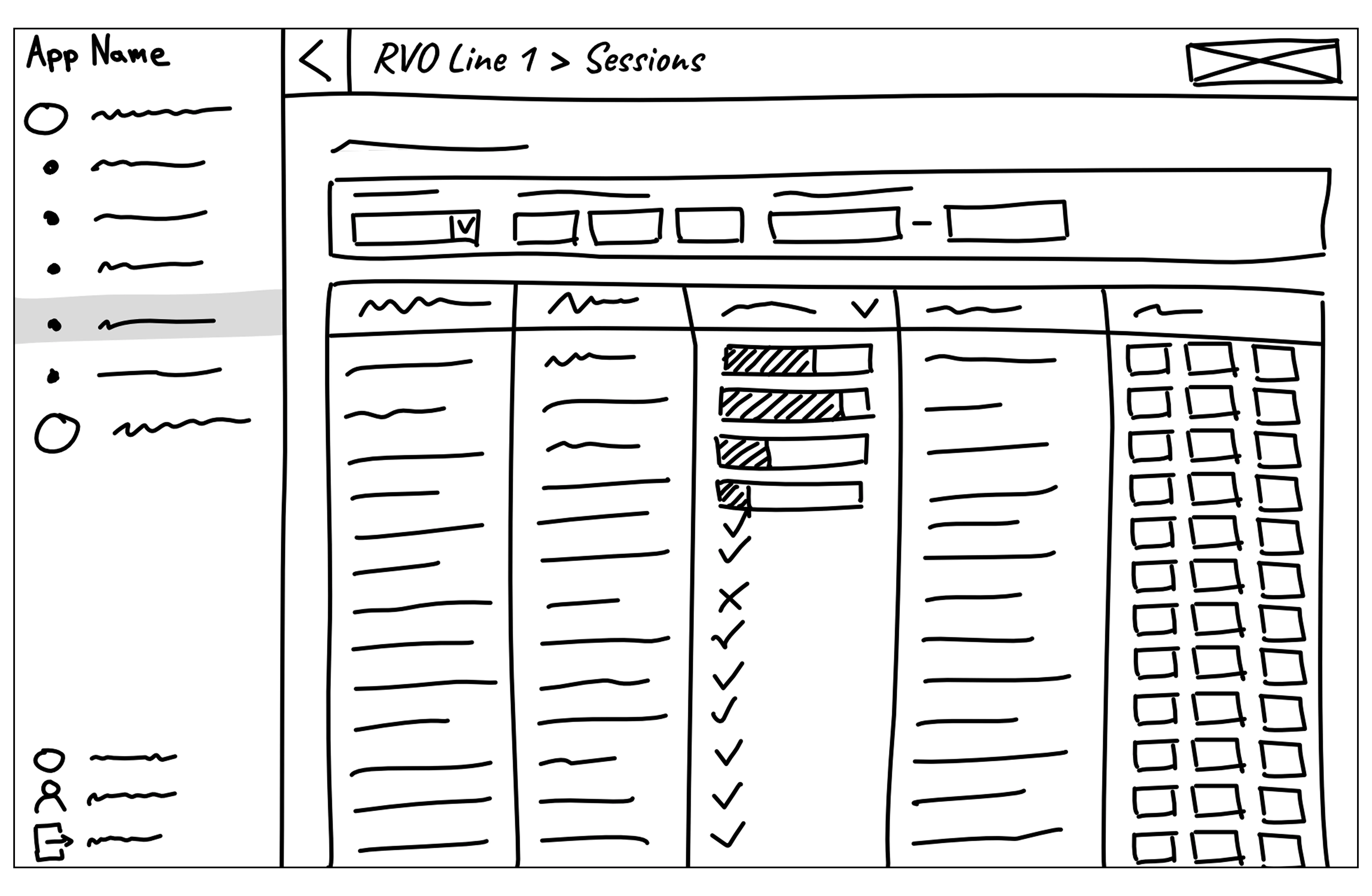
Based on the user journeys I created user flows. User flow charts with annotations and combined with wireframes or mockups are a powerful tool to present the idea, gather feedback and plan further implementation steps.
A lot has happened at Bosch over the years. For example, the Bosch Digital Design System was launched to create a framework for a consistent design. In 2024, basic rules and guidelines for software applications and mobile apps were added.
Nevertheless, it is the responsibility of designers to develop user-friendly solutions based on these specifications and to ensure compliance with platform guidelines such as the Apple Human Interface Guidelines or standards such as the W3C Accessibility Standards.
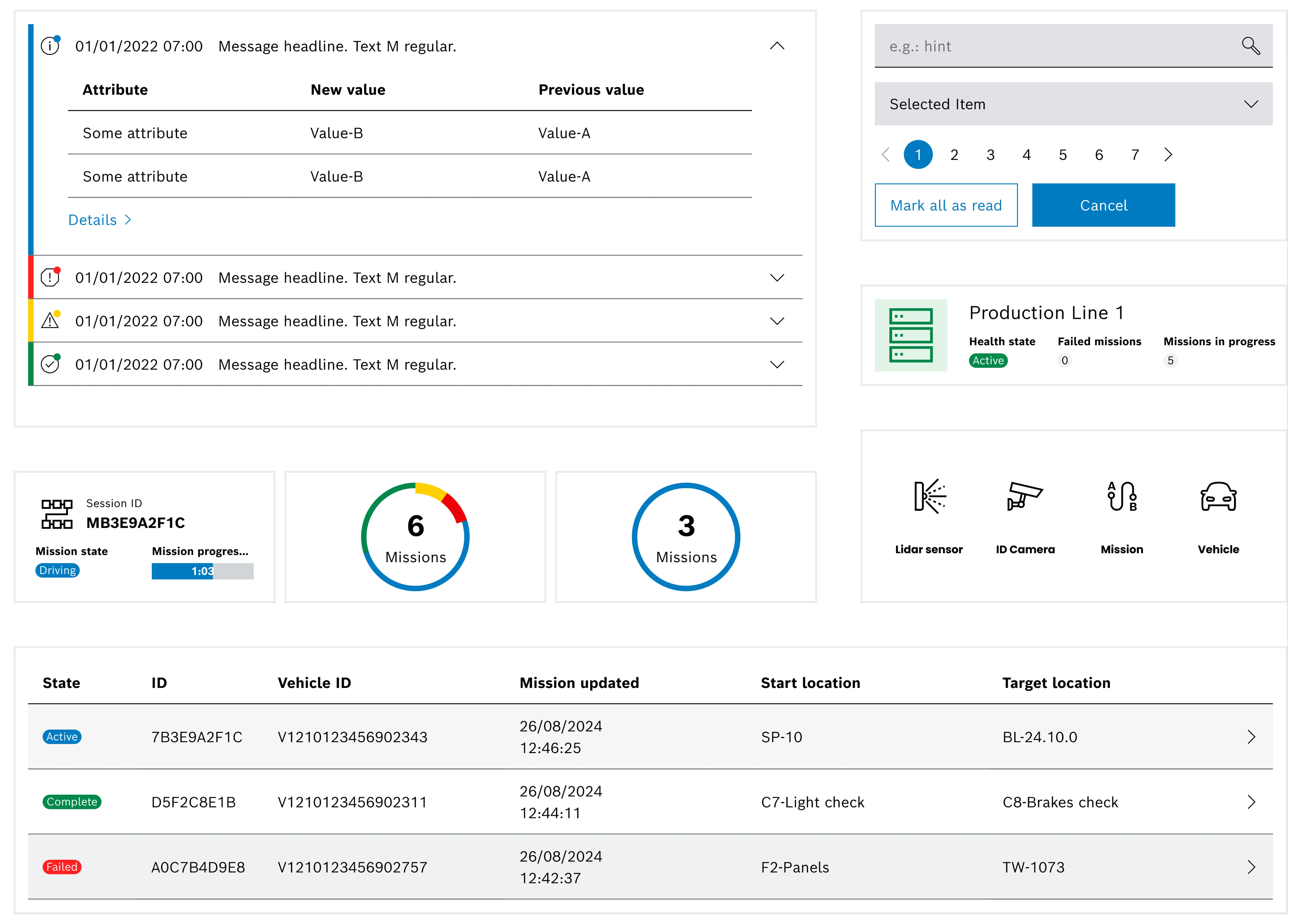
As a UX/UI designer, I retained the design typical of Bosch and designed according to Bosch Digital Design System. This includes using Bosch's corporate font, Bosch Sans, which greatly enhances brand recognition and also conveys professionalism. In addition, I limited the number of different font applications, documented them in the product design system, and used them consistently across all AVM products. Bosch Sans is used in all font levels, from headlines to body text. The two typefaces Bosch Sans Regular and Bosch Sans Bold form the design basis for all kinds of texts, including software applications and user interfaces.
In addition to designing UI components and interactions, I also created application icons, product logos, illustrations, and other visual artifacts as needed and in cases where elements were missing and not provided by Bosch. In doing so, I always followed the current Bosch brand requirements.
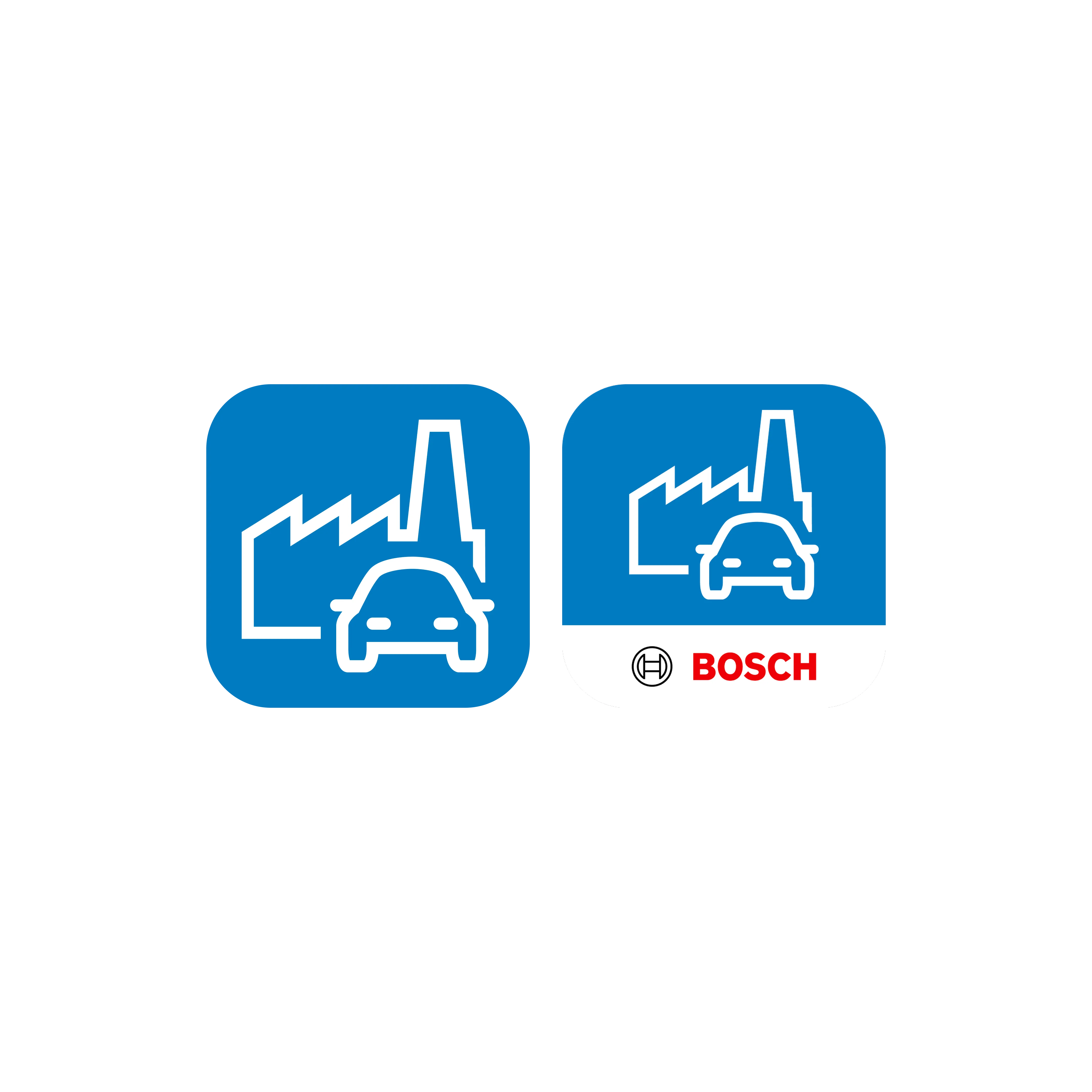
In my role as a UX/UI designer, I design software applications and mobile apps in accordance with the Bosch Digital Design System, taking typography, colors, and design rules into account. One challenge is creating new components for highly technical domains while still preserving the brand’s visual identity. Examples include dashboard components and map displays showing sensor information and vehicle positions. To manage all project‑specific components, I maintain a product design system in Figma organized according to the atomic design principles.
One of the biggest challenges is ensuring that all applications have a consistent and user-friendly design. This also includes creating assets for different end devices and related documents such as training materials and manuals.
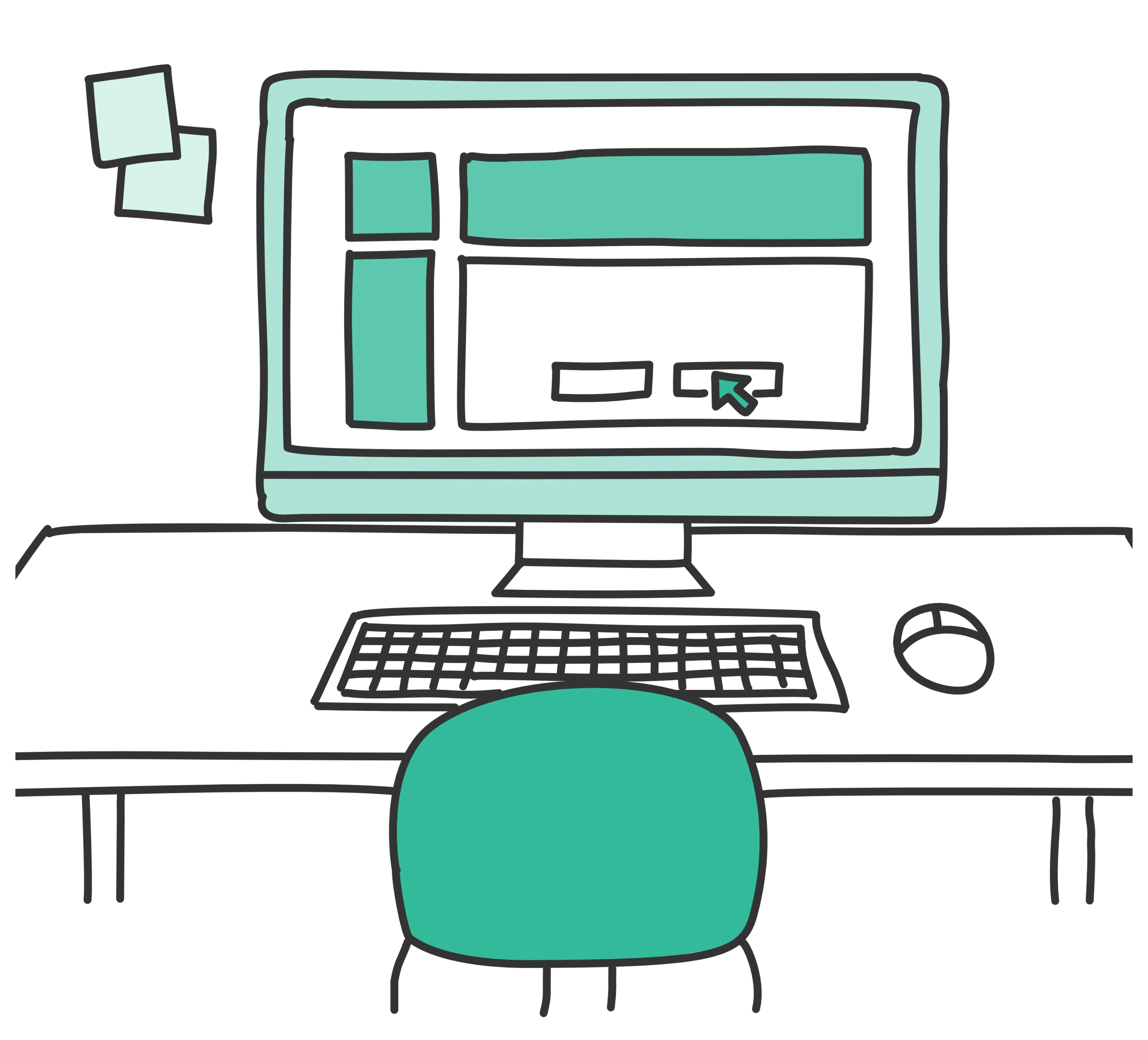
Interactive prototypes for usability tests, created by me, were used to get user feedback on critical or unclear user flows. As testing interactive prototypes can very time consuming it was only done for flows that could not be clarified with static mockups or wireframes. I created prototypes in Figma and used them also to demonstrate the look and feel of our application for company internal stakeholders.
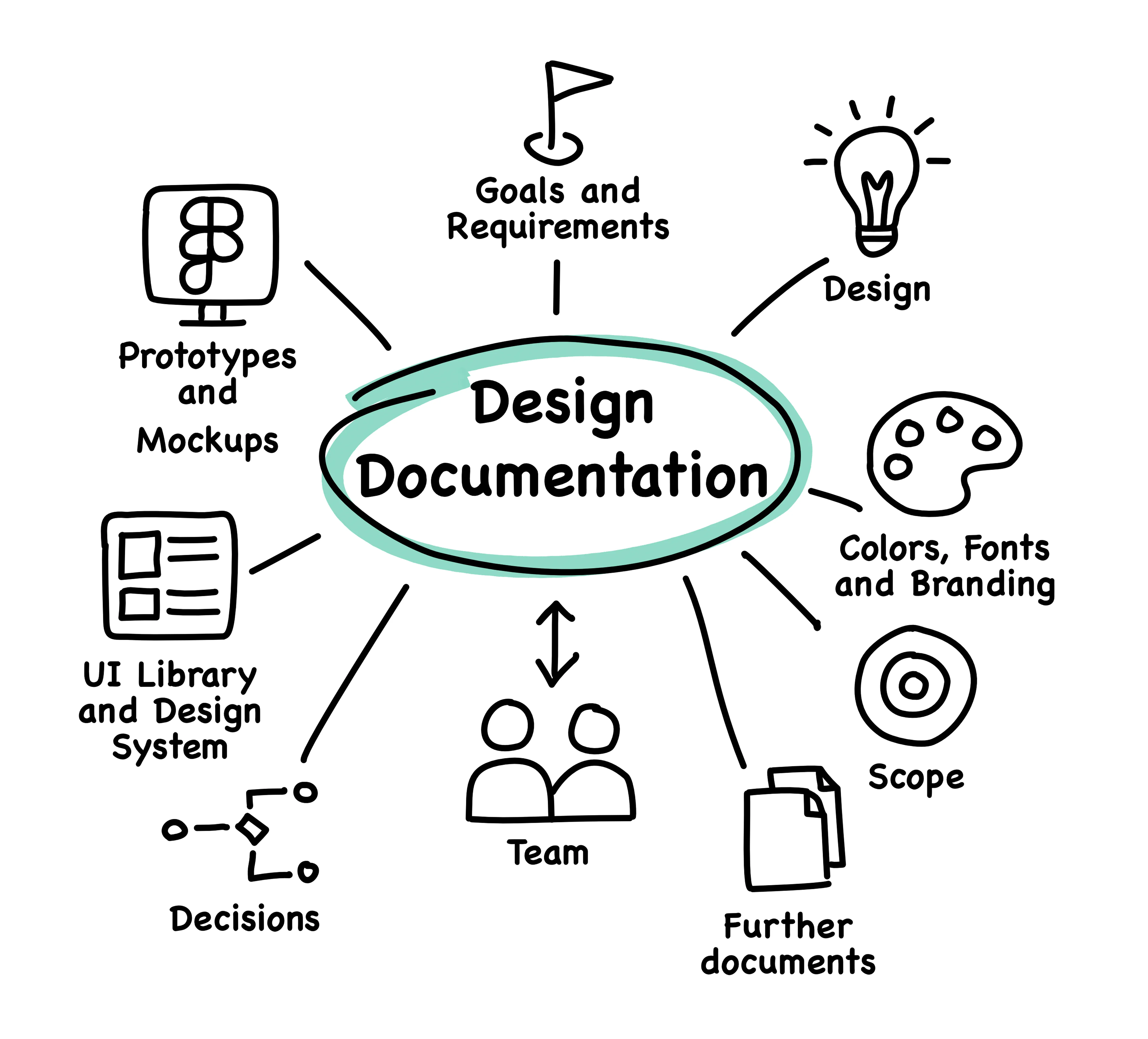
I know that documentation is a boring topic for many people. But documentation is also the basis for collaboration. This is where topics and decisions are recorded. Team members can find goals, designs, mockups, examples, research results, definitions, and useful links to Figma prototypes and other documents here.
In my experience, product quality is greatly enhanced when all team members can use centralized and easily accessible documentation and, for example, components, colors, icons, and interactions are used consistently.
The desktop application was designed and implemented iteratively. Features were prioritized according to their relevance for operation.
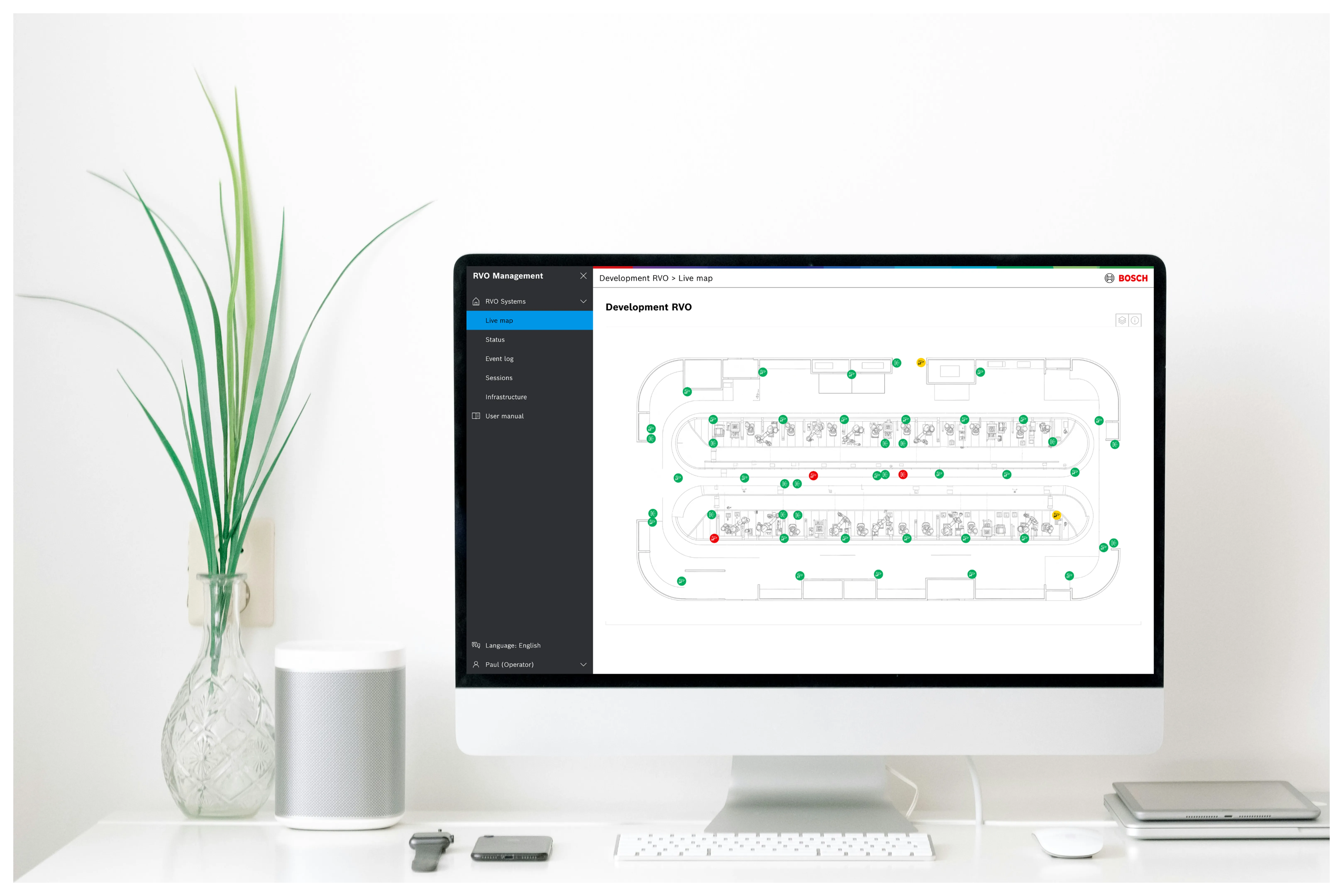
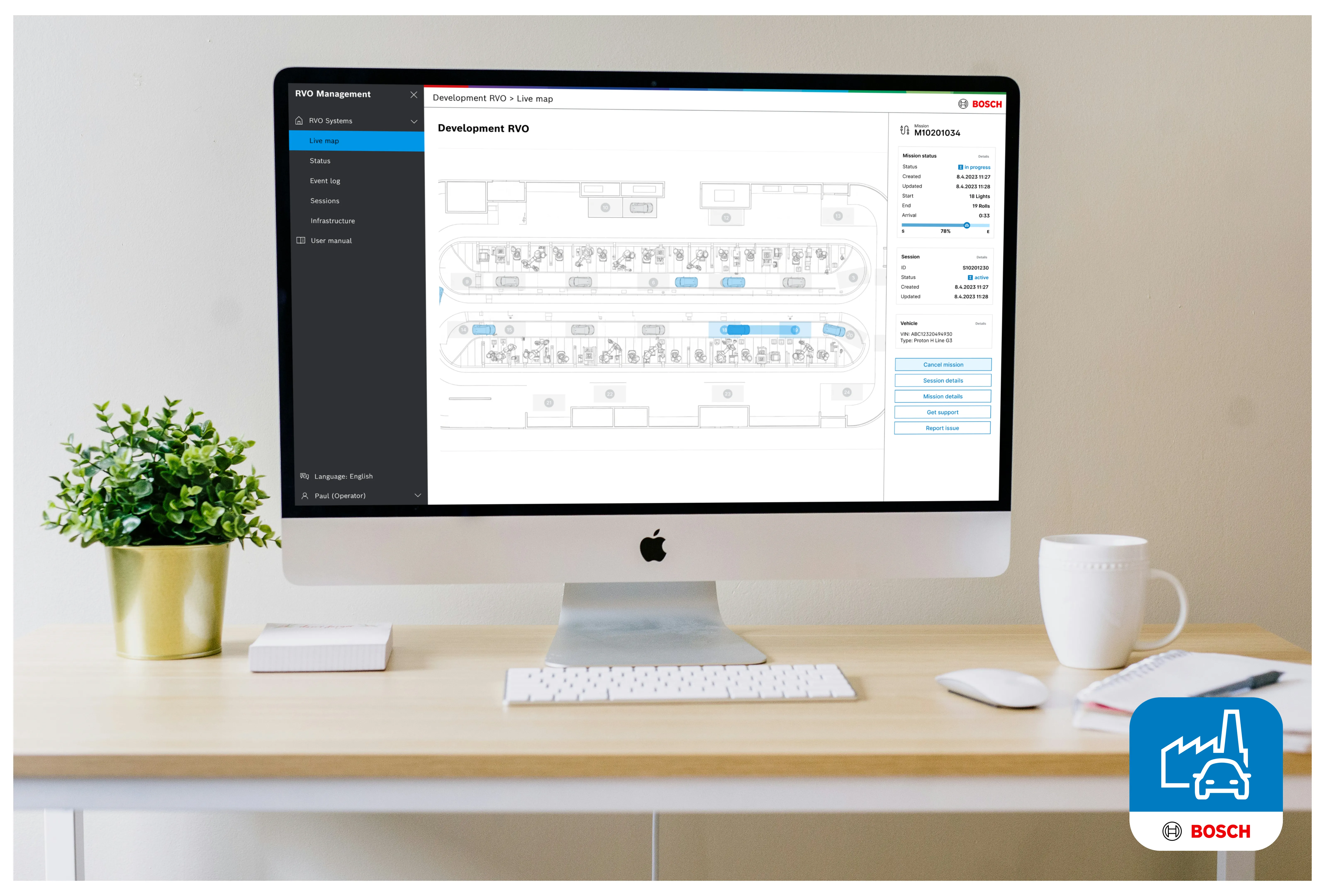
For operation I designed views showing a brief overview of all systems a user is responsible for and several views showing status information and visualizations for the different types of users and their tasks related to specific AVM components and services.
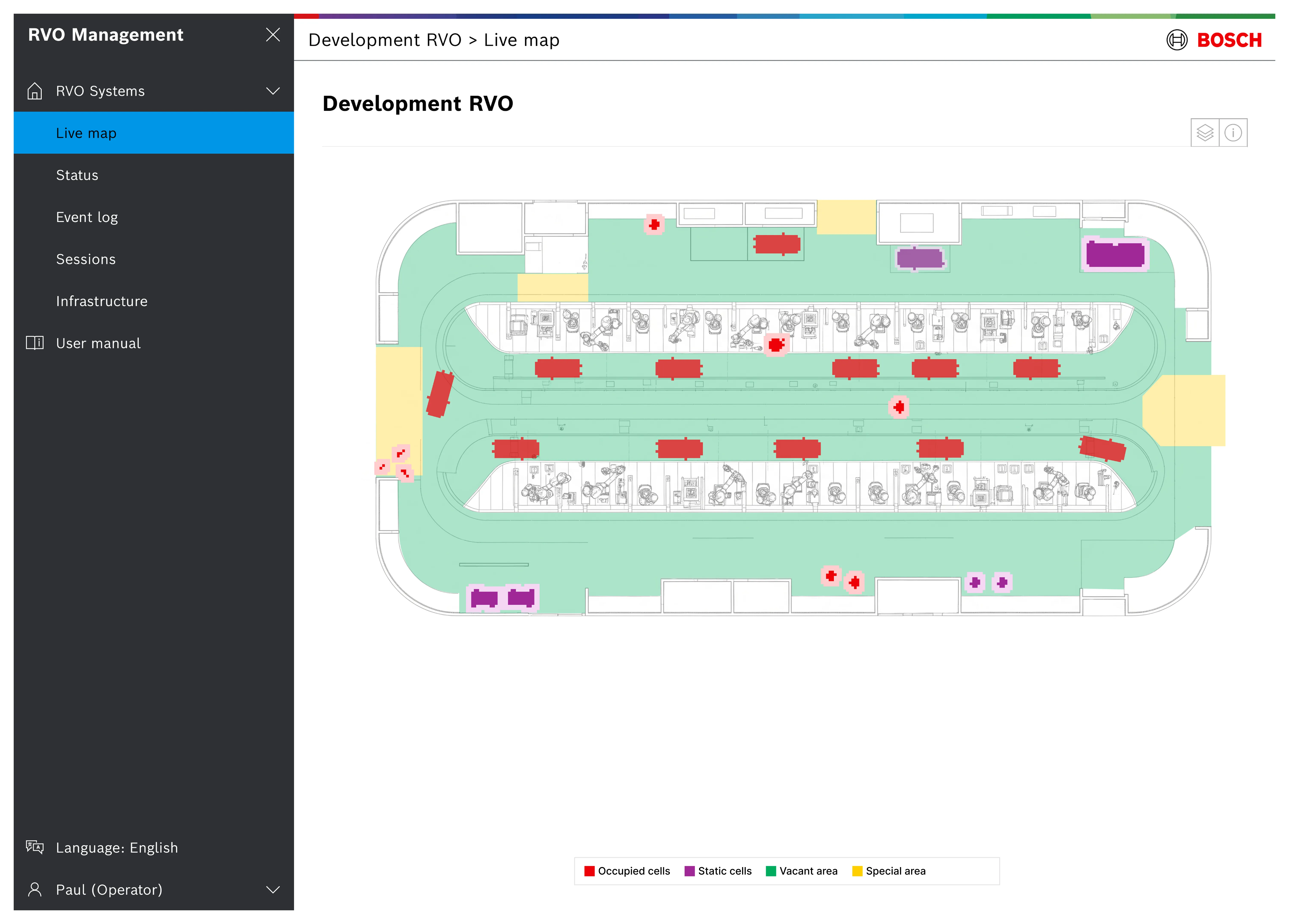
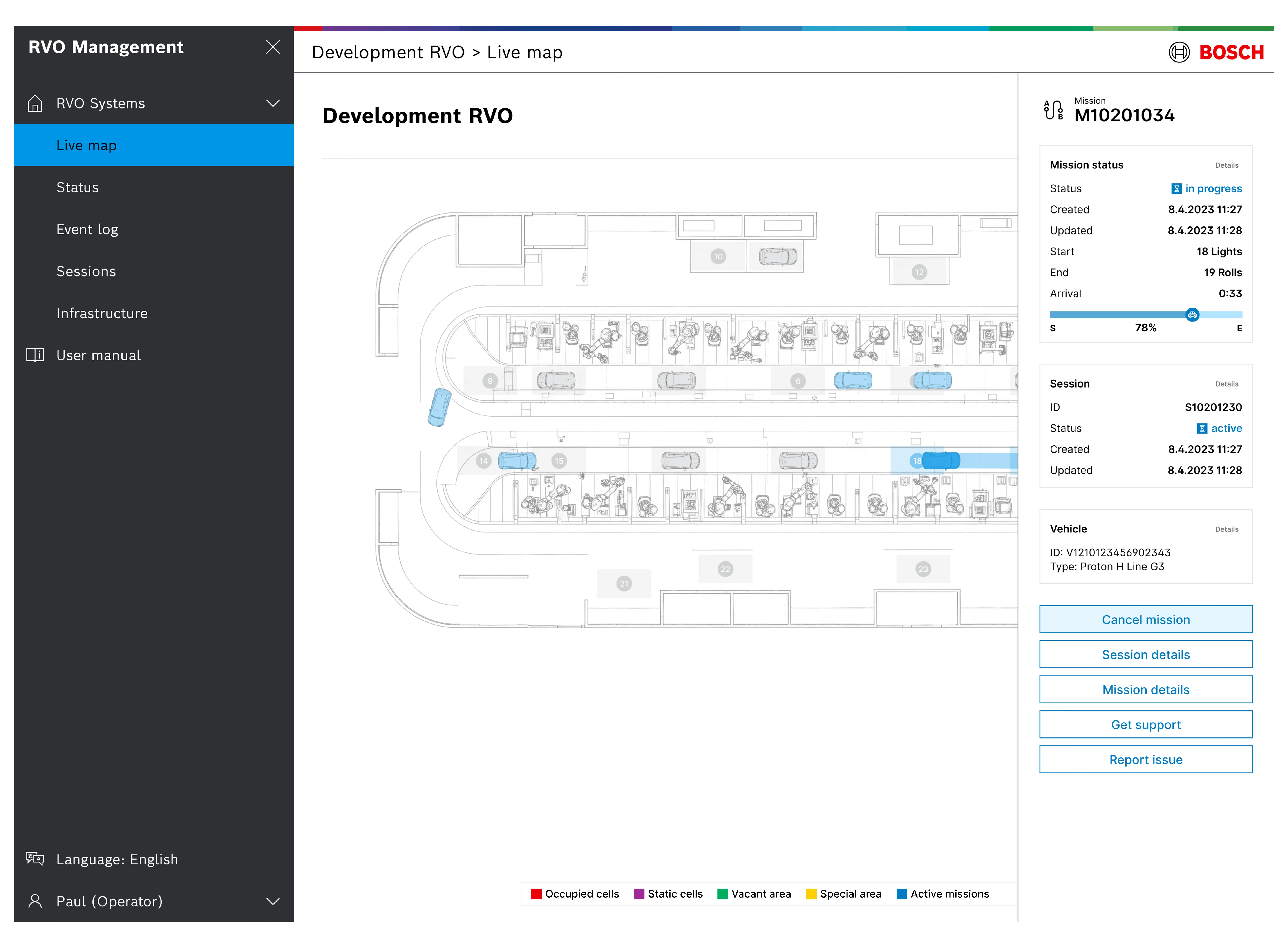
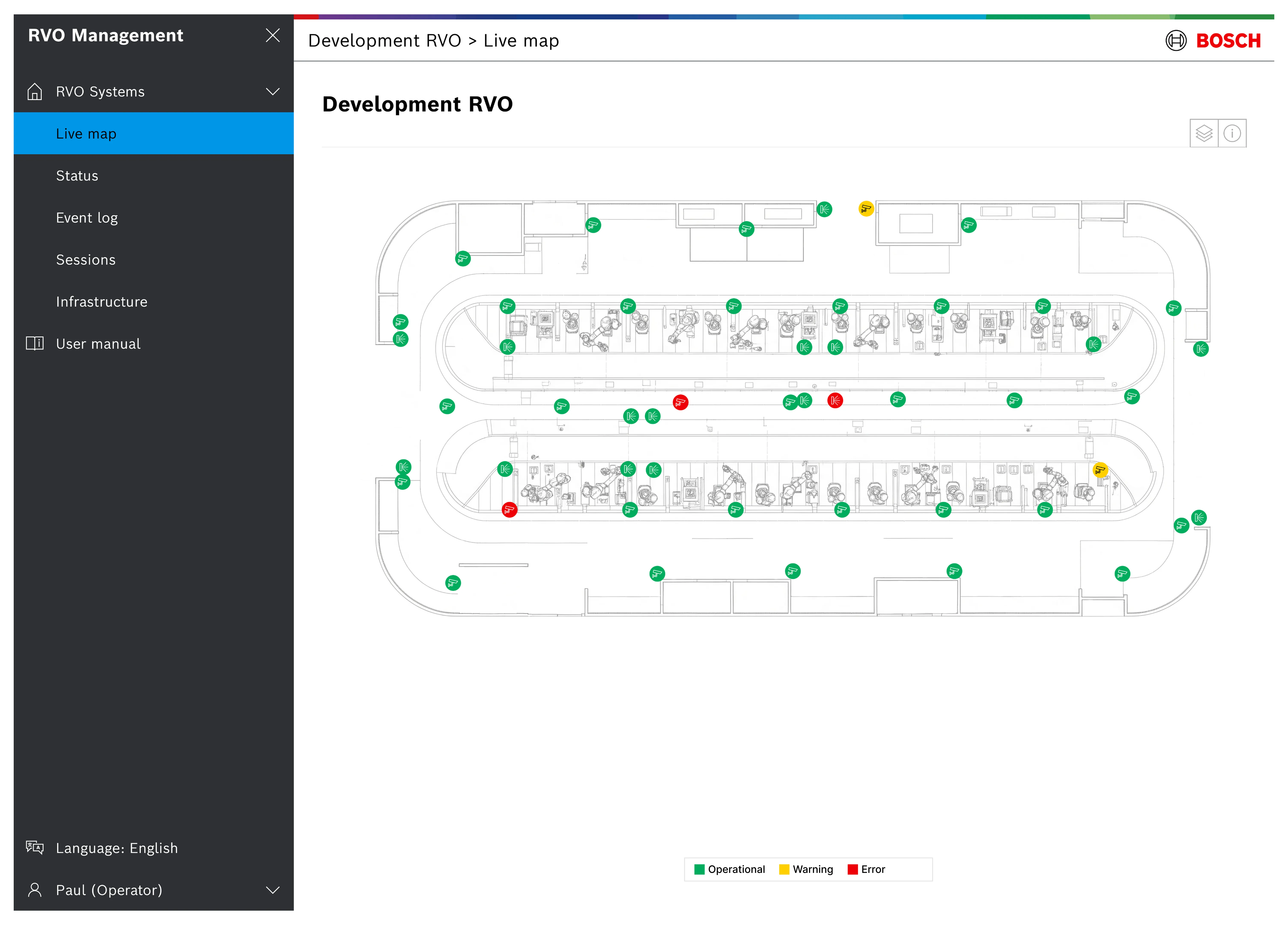
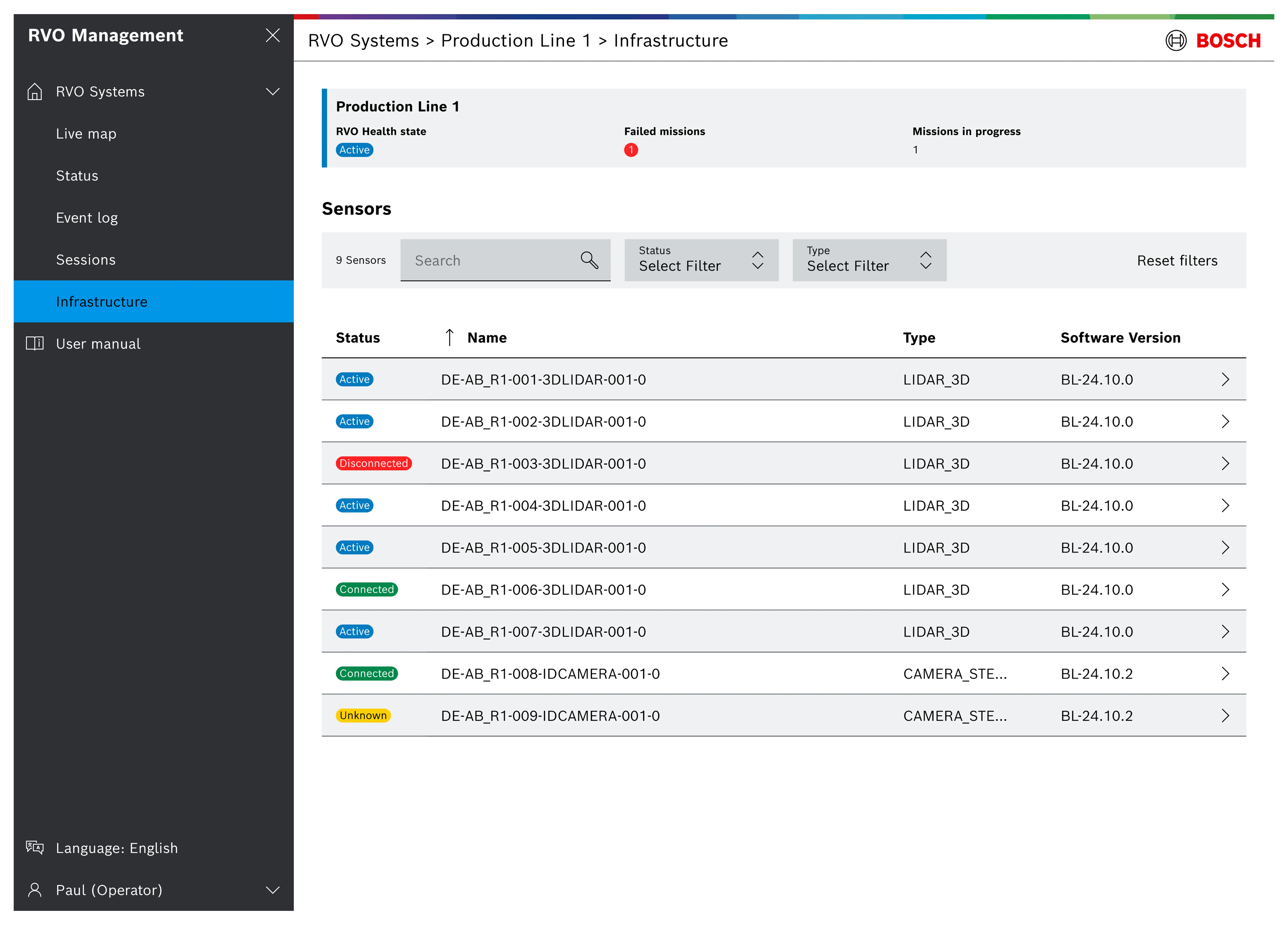
- The challenges: Designing for a "world's first" commercial SAE Level 4 autonomous driving system (like the Stuttgart Airport AVP) means operating in uncharted territory. This involves unique challenges such as defining entirely new interaction paradigms, anticipating unforeseen user behaviors, and adapting quickly to evolving technical and regulatory requirements without established industry precedents.
- Importance of UX: For systems like AVM, AVM-P, and AVP, where vehicle movement is automated and potential hazards exist, a robust and error-resistant user experience is directly tied to safety. Clear feedback mechanisms, unambiguous alerts, and intuitive control flows are not just about convenience; they are essential for ensuring safe operation and mitigating risks in a controlled but dynamic environment.
- UX and UI design: In a cutting-edge field like autonomous vehicle systems, an intuitive, reliable, and visually appealing web application isn't just an internal tool; it's a tangible demonstration of the technology's maturity and user-centricity. High-quality UX/UI becomes a key selling point that instills confidence in potential clients and sets the solution apart from competitors.
- Power of simplicity: When dealing with the sheer volume of data and intricate processes of SAE Level 4 autonomous systems, the "less is more" principle is critical. Stripping away unnecessary clutter and focusing on clear, immediate information – "keeping things simple" – reduces cognitive load, minimizes errors, and enhances the operational efficiency for users who need to make quick, informed decisions.
- Criticality of holistic design: Beyond aesthetics, truly understanding complex system interactions (like vehicle state machines or infrastructure sensor data) is paramount. A well-designed UI makes the intricate simple, directly impacting operational efficiency and preventing costly errors in highly automated environments.
- Value of documentation: In projects involving advanced, interconnected systems like AVM, comprehensive UX and UI documentation like wireframes, mockups, flows and design decisions becomes the single source of truth, crucial for consistent development, future iterations, and onboarding new team members in a highly technical domain.
- Strategic reuse of UX artifacts: Identifying core patterns and components across AVM, AVM-P, and AVP, and systematically reusing design artifacts (e.g., status indicators, job cards, vehicle representations), not only ensures consistency but also significantly speeds up design and development cycles, allowing focus on unique feature set.
- Cross-functional teamwork : Collaborating closely with engineers, managers, and even the end-users (e.g. operators, field engineers) from the outset is vital. Their domain expertise directly informs design decisions, ensuring the solution is not just aesthetically pleasing but also technically feasible and genuinely addresses real-world challenges.